<?xml version="1.0" encoding="utf-8"?><feed xmlns="http://www.w3.org/2005/Atom" ><generator uri="https://jekyllrb.com/" version="3.10.0">Jekyll</generator><link href="https://pspas.pspete.dev/feed.xml" rel="self" type="application/atom+xml" /><link href="https://pspas.pspete.dev/" rel="alternate" type="text/html" /><updated>2026-08-05T19:40:46+00:00</updated><id>https://pspas.pspete.dev/feed.xml</id><title type="html">psPAS</title><subtitle>psPAS.</subtitle><author><name>Pete Maan</name></author><entry><title type="html">psPAS Release 8.0</title><link href="https://pspas.pspete.dev/articles/pspas-release-8-0/" rel="alternate" type="text/html" title="psPAS Release 8.0" /><published>2026-08-05T00:00:00+00:00</published><updated>2026-08-05T00:00:00+00:00</updated><id>https://pspas.pspete.dev/articles/pspas-release-8-0</id><content type="html" xml:base="https://pspas.pspete.dev/articles/pspas-release-8-0/"><![CDATA[<h2 id="800">[8.0.0]</h2>

<p><em>Update includes almost all updates for the 15.2, Idira Self-Hosted &amp; latest Privilege Cloud Releases</em></p>

<p>psPAS 8.0.0 is the module’s biggest release in a while, bringing coverage for a wide swathe of new CyberArk 15.2/Self-Hosted and Privilege Cloud API surface alongside a set of quality-of-life and security fixes across existing commands. Highlights include:</p>

<ul>
  <li><strong>Platform management</strong> - <code class="language-plaintext highlighter-rouge">Set-PASPlatform</code> and <code class="language-plaintext highlighter-rouge">New-PASPlatformSecret</code> add the ability to update target platform settings and generate platform secrets, and <code class="language-plaintext highlighter-rouge">Get-PASPlatform</code> now merges the newer “Get Platforms” API into its results by default (a breaking change to its output shape, removing the <code class="language-plaintext highlighter-rouge">PlatformType</code> parameter in the process).</li>
  <li><strong>Discovery</strong> - a full set of discovery scan commands (<code class="language-plaintext highlighter-rouge">Get-PASDiscoveryScan</code>, <code class="language-plaintext highlighter-rouge">Add-PASDiscoveryScan</code>, <code class="language-plaintext highlighter-rouge">Stop-PASDiscoveryScan</code>, <code class="language-plaintext highlighter-rouge">Remove-PASDiscoveryScan</code>) plus new Privilege Cloud discovered-local-account handling (<code class="language-plaintext highlighter-rouge">Hide-</code>/<code class="language-plaintext highlighter-rouge">Restore-</code>/<code class="language-plaintext highlighter-rouge">Set-PASDiscoveredLocalAccount</code>, <code class="language-plaintext highlighter-rouge">Test-PASDiscoveredLocalAccount</code>) round out account discovery workflows.</li>
  <li><strong>OAuth Identity Providers</strong> - <code class="language-plaintext highlighter-rouge">Add-</code>/<code class="language-plaintext highlighter-rouge">Get-</code>/<code class="language-plaintext highlighter-rouge">Set-</code>/<code class="language-plaintext highlighter-rouge">Remove-PASOAuthProvider</code> let you configure and inspect OAuth 2.0 identity providers on Self-Hosted environments.</li>
  <li><strong>Reporting</strong> - <code class="language-plaintext highlighter-rouge">Get-PASReportSchedule</code>/<code class="language-plaintext highlighter-rouge">New-PASReportSchedule</code> are renamed to <code class="language-plaintext highlighter-rouge">Get-PASReportTask</code>/<code class="language-plaintext highlighter-rouge">New-PASReportTask</code>, gain a new <code class="language-plaintext highlighter-rouge">Remove-PASReportTask</code> counterpart, pagination, filtering and a <code class="language-plaintext highlighter-rouge">Filters</code> parameter, and <code class="language-plaintext highlighter-rouge">Get-PASReportActivity</code> exposes the activity groups available for reports.</li>
  <li><strong>BYOK (Bring Your Own Key)</strong> - <code class="language-plaintext highlighter-rouge">Enable-</code>/<code class="language-plaintext highlighter-rouge">Disable-</code>/<code class="language-plaintext highlighter-rouge">Set-PASBYOKConfig</code>, <code class="language-plaintext highlighter-rouge">Get-PASBYOKPolicyStatement</code> and <code class="language-plaintext highlighter-rouge">Invoke-PASBYOKRotation</code> bring key management for Privilege Cloud tenants into psPAS for the first time.</li>
  <li><strong>Session lifecycle</strong> - <code class="language-plaintext highlighter-rouge">New-PASSession</code> adds SAML-based logon (<code class="language-plaintext highlighter-rouge">ISPSS-Subdomain-SAML</code>/<code class="language-plaintext highlighter-rouge">ISPSS-URL-SAML</code> parameter sets) and now tracks the server’s idle session timeout (via the new <code class="language-plaintext highlighter-rouge">Get-PASSessionTimeout</code>), with <code class="language-plaintext highlighter-rouge">Get-PASSession</code> surfacing <code class="language-plaintext highlighter-rouge">IdleTimeout</code>/<code class="language-plaintext highlighter-rouge">SessionTimeRemaining</code> and helper methods so scripts can detect and avoid idle timeouts.</li>
  <li><strong>Bulk operations</strong> - <code class="language-plaintext highlighter-rouge">Resume-PASCPMAutoManagement</code>, <code class="language-plaintext highlighter-rouge">Invoke-PASCPMOperation</code>, <code class="language-plaintext highlighter-rouge">Clear-PASLinkedAccount</code>, <code class="language-plaintext highlighter-rouge">Set-PASLinkedAccount</code>, <code class="language-plaintext highlighter-rouge">Resume-PASDependentAccount</code>, <code class="language-plaintext highlighter-rouge">Stop-PASCPMTask</code> and <code class="language-plaintext highlighter-rouge">Unlock-PASAccount</code> gain or extend support for sending a single bulk request instead of one call per account.</li>
  <li><strong>Security hardening</strong> - secret-bearing request bodies across <code class="language-plaintext highlighter-rouge">New-PASSession</code>, <code class="language-plaintext highlighter-rouge">New-PASUser</code>, <code class="language-plaintext highlighter-rouge">Set-PASUser</code>, <code class="language-plaintext highlighter-rouge">Add-PASAccount</code> and others now convert and decode secrets as late as possible, reducing the window in which plaintext could be captured by PowerShell’s parameter-binding trace or Module Logging.</li>
  <li><strong><code class="language-plaintext highlighter-rouge">-WhatIf</code>/<code class="language-plaintext highlighter-rouge">-Confirm</code> support</strong> lands on a large batch of previously non-<code class="language-plaintext highlighter-rouge">ShouldProcess</code> state-changing commands (<code class="language-plaintext highlighter-rouge">Add-PASAccount</code>, <code class="language-plaintext highlighter-rouge">Add-PASSafe</code>, <code class="language-plaintext highlighter-rouge">Add-PASSafeMember</code>, <code class="language-plaintext highlighter-rouge">Enable-</code>/<code class="language-plaintext highlighter-rouge">Disable-PASCPMAutoManagement</code>, and more).</li>
  <li><strong>Argument completers</strong> - tab-completion is added or extended in several places: <code class="language-plaintext highlighter-rouge">Get-PASPlatform</code> swaps a <code class="language-plaintext highlighter-rouge">ValidateSet</code> for an <code class="language-plaintext highlighter-rouge">ArgumentCompleter</code> on target scope values; <code class="language-plaintext highlighter-rouge">New-PASUser</code>/<code class="language-plaintext highlighter-rouge">Set-PASUser</code>/<code class="language-plaintext highlighter-rouge">New-PASDirectoryMapping</code>/<code class="language-plaintext highlighter-rouge">Set-PASDirectoryMapping</code> gain completers for <code class="language-plaintext highlighter-rouge">AuthorizedInterfaces</code>/<code class="language-plaintext highlighter-rouge">unAuthorizedInterfaces</code> sourced from the environment’s licensed client IDs; <code class="language-plaintext highlighter-rouge">New-PASUser</code>/<code class="language-plaintext highlighter-rouge">Set-PASUser</code>/<code class="language-plaintext highlighter-rouge">Get-PASUser</code> gain a <code class="language-plaintext highlighter-rouge">UserType</code> completer sourced from the environment’s configured user types; and <code class="language-plaintext highlighter-rouge">Set-PASAccount</code> gains one for <code class="language-plaintext highlighter-rouge">Path</code>. In each case the values are pulled live from the connected environment rather than hard-coded, so completions are accurate for your environment’s configuration.</li>
</ul>

<p>As always, huge thanks to <a href="https://github.com/johannesconsulting">JP-Consulting</a> for another large wave of contributions across this release. The full breakdown of additions, updates and fixes follows below:</p>

<h3 id="added">Added</h3>

<ul>
  <li><code class="language-plaintext highlighter-rouge">Set-PASPlatform</code>
    <ul>
      <li>New function to update settings of a target platform</li>
      <li>Requires Idira 15.2+ Self-Hosted</li>
      <li>Thanks <a href="https://github.com/johannesconsulting">JP-Consulting</a>!!!</li>
    </ul>
  </li>
  <li><code class="language-plaintext highlighter-rouge">New-PASPlatformSecret</code>
    <ul>
      <li>New function to generate a secret for a platform</li>
      <li>Requires Idira 15.2+ Self-Hosted</li>
    </ul>
  </li>
  <li><code class="language-plaintext highlighter-rouge">Stop-PASCPMTask</code>
    <ul>
      <li>New function to cancel a pending CPM task for an account</li>
      <li>Requires Idira 15.2+ Self-Hosted</li>
    </ul>
  </li>
  <li><code class="language-plaintext highlighter-rouge">Resume-PASCPMAutoManagement</code>
    <ul>
      <li>New function to resume CPM automatic management of an account</li>
      <li>Requires Idira 15.2+ Self-Hosted</li>
    </ul>
  </li>
  <li><code class="language-plaintext highlighter-rouge">Remove-PASOAuthProvider</code>
    <ul>
      <li>New function to delete a configured OAuth Identity Provider</li>
      <li>Requires Idira 15.0+ Self-Hosted</li>
      <li>Thanks <a href="https://github.com/johannesconsulting">JP-Consulting</a>!!!</li>
    </ul>
  </li>
  <li><code class="language-plaintext highlighter-rouge">Remove-PASReportTask</code>
    <ul>
      <li>New function to delete a report task</li>
    </ul>
  </li>
  <li><code class="language-plaintext highlighter-rouge">Test-PASDiscoveredLocalAccount</code>
    <ul>
      <li>New function to check whether discovered accounts already exist in the vault</li>
    </ul>
  </li>
  <li><code class="language-plaintext highlighter-rouge">New-PASDiscoveredAccountObject</code>
    <ul>
      <li>New helper function to build a correctly structured discovered account object for use with <code class="language-plaintext highlighter-rouge">Test-PASDiscoveredLocalAccount</code></li>
    </ul>
  </li>
  <li><code class="language-plaintext highlighter-rouge">Disable-PASBYOKConfig</code>, <code class="language-plaintext highlighter-rouge">Enable-PASBYOKConfig</code>, <code class="language-plaintext highlighter-rouge">Set-PASBYOKConfig</code>, <code class="language-plaintext highlighter-rouge">Get-PASBYOKPolicyStatement</code>, <code class="language-plaintext highlighter-rouge">Invoke-PASBYOKRotation</code>
    <ul>
      <li>New functions to manage Bring Your Own Key (BYOK) configuration</li>
      <li>Requires Privilege Cloud</li>
    </ul>
  </li>
  <li><code class="language-plaintext highlighter-rouge">Hide-PASDiscoveredLocalAccount</code>, <code class="language-plaintext highlighter-rouge">Restore-PASDiscoveredLocalAccount</code>, <code class="language-plaintext highlighter-rouge">Set-PASDiscoveredLocalAccount</code>
    <ul>
      <li>New functions to ignore/restore/edit Privilege Cloud discovered local accounts</li>
      <li>Requires Privilege Cloud</li>
    </ul>
  </li>
  <li><code class="language-plaintext highlighter-rouge">Get-PASDiscoveryScan</code>, <code class="language-plaintext highlighter-rouge">Remove-PASDiscoveryScan</code>, <code class="language-plaintext highlighter-rouge">Stop-PASDiscoveryScan</code>, <code class="language-plaintext highlighter-rouge">Add-PASDiscoveryScan</code>
    <ul>
      <li>New functions to retrieve, delete, add, and stop discovery scans</li>
      <li>Requires Idira 12.2+ Self-Hosted</li>
    </ul>
  </li>
  <li><code class="language-plaintext highlighter-rouge">Get-PASReportActivity</code>
    <ul>
      <li>New function to get the list of activity groups available for reports</li>
      <li>Requires Idira 15.0+</li>
    </ul>
  </li>
  <li><code class="language-plaintext highlighter-rouge">Add-PASOAuthProvider</code>, <code class="language-plaintext highlighter-rouge">Get-PASOAuthProvider</code>, <code class="language-plaintext highlighter-rouge">Set-PASOAuthProvider</code>
    <ul>
      <li>New functions to configure and retrieve OAuth 2.0 Identity Providers</li>
      <li>Requires Idira 15.0+ Self-Hosted</li>
    </ul>
  </li>
  <li><code class="language-plaintext highlighter-rouge">Set-PASReportTask</code>
    <ul>
      <li>New function to update an existing report task schedule</li>
      <li>Requires Idira 14.6+</li>
    </ul>
  </li>
  <li><code class="language-plaintext highlighter-rouge">Get-PASSessionTimeout</code>
    <ul>
      <li>New function to retrieve the idle session timeout configured on the server</li>
      <li>Requires Idira 13.2+ Self-Hosted</li>
    </ul>
  </li>
</ul>

<h3 id="updated">Updated</h3>

<ul>
  <li><code class="language-plaintext highlighter-rouge">Get-PASPlatform</code>
    <ul>
      <li>Breaking change: removes the <code class="language-plaintext highlighter-rouge">PlatformType</code> parameter/parameter set</li>
      <li>The “Get Platforms” API is now additionally called by default, with its results merged into those of the legacy platform details endpoint, so the shape of the returned results differ from previous versions, but the command is hopefully less confusing to run.</li>
      <li>Adds a <code class="language-plaintext highlighter-rouge">target-details</code> parameter set exposing the new “Get target platform settings” API
        <ul>
          <li>Requires Idira 15.2+ Self-Hosted</li>
        </ul>
      </li>
      <li>Replaces a <code class="language-plaintext highlighter-rouge">ValidateSet</code> with an <code class="language-plaintext highlighter-rouge">ArgumentCompleter</code> for target scope values</li>
    </ul>
  </li>
  <li><code class="language-plaintext highlighter-rouge">Get-PASReportSchedule</code>, <code class="language-plaintext highlighter-rouge">New-PASReportSchedule</code>
    <ul>
      <li>Renamed to <code class="language-plaintext highlighter-rouge">Get-PASReportTask</code> and <code class="language-plaintext highlighter-rouge">New-PASReportTask</code> respectively</li>
      <li><code class="language-plaintext highlighter-rouge">Get-PASReportTask</code> adds pagination, and <code class="language-plaintext highlighter-rouge">search</code>/<code class="language-plaintext highlighter-rouge">subType</code>/<code class="language-plaintext highlighter-rouge">name</code>/<code class="language-plaintext highlighter-rouge">FilterLogicalOperator</code>/<code class="language-plaintext highlighter-rouge">limit</code> parameters</li>
    </ul>
  </li>
  <li><code class="language-plaintext highlighter-rouge">Get-PASReport</code>
    <ul>
      <li>Replaces the <code class="language-plaintext highlighter-rouge">filter</code> parameter with individual parameters for each filterable report property</li>
      <li>Adds <code class="language-plaintext highlighter-rouge">limit</code> and <code class="language-plaintext highlighter-rouge">search</code> parameters, and result pagination</li>
      <li>Allows sorting results by the <code class="language-plaintext highlighter-rouge">createdAt</code> property</li>
    </ul>
  </li>
  <li><code class="language-plaintext highlighter-rouge">Get-PASMasterPolicy</code>, <code class="language-plaintext highlighter-rouge">Set-PASMasterPolicy</code>
    <ul>
      <li>Adds a <code class="language-plaintext highlighter-rouge">PolicyId</code> parameter, defaulted to <code class="language-plaintext highlighter-rouge">1</code>, to support master policy exceptions defined on platforms</li>
      <li>Requires Idira 15.0+ Self-Hosted when a <code class="language-plaintext highlighter-rouge">PolicyId</code> other than <code class="language-plaintext highlighter-rouge">1</code> is specified</li>
    </ul>
  </li>
  <li><code class="language-plaintext highlighter-rouge">Set-PASSafe</code>
    <ul>
      <li>Adds a <code class="language-plaintext highlighter-rouge">Quota</code> parameter
        <ul>
          <li>Requires Idira 15.2+</li>
        </ul>
      </li>
      <li>Allows <code class="language-plaintext highlighter-rouge">NumberOfVersionsRetention</code> to be set to <code class="language-plaintext highlighter-rouge">0</code></li>
    </ul>
  </li>
  <li><code class="language-plaintext highlighter-rouge">Get-PASVRMServiceStatus</code>, <code class="language-plaintext highlighter-rouge">Start-PASVRMService</code>, <code class="language-plaintext highlighter-rouge">Stop-PASVRMService</code>, <code class="language-plaintext highlighter-rouge">Restart-PASVRMService</code>
    <ul>
      <li>Adds the <code class="language-plaintext highlighter-rouge">ENE</code> service name value
        <ul>
          <li>Requires Idira 15.2+</li>
        </ul>
      </li>
    </ul>
  </li>
  <li><code class="language-plaintext highlighter-rouge">Get-PASGroup</code>
    <ul>
      <li>Pipes <code class="language-plaintext highlighter-rouge">groupType</code> query results through pagination</li>
      <li>Adds a <code class="language-plaintext highlighter-rouge">limit</code> parameter (maximum <code class="language-plaintext highlighter-rouge">20000</code>) to the <code class="language-plaintext highlighter-rouge">groupType</code> parameter set</li>
    </ul>
  </li>
  <li><code class="language-plaintext highlighter-rouge">Remove-PASAccount</code>
    <ul>
      <li>Adds a <code class="language-plaintext highlighter-rouge">DeleteSSHKey</code> parameter, mapped to <code class="language-plaintext highlighter-rouge">deleteOnlyPrivateSshKey</code> for Privilege Cloud or <code class="language-plaintext highlighter-rouge">deleteSshKeyFromVaultAndTarget</code> for Self-Hosted
        <ul>
          <li>Self-Hosted requires Idira 15.2+</li>
        </ul>
      </li>
    </ul>
  </li>
  <li><code class="language-plaintext highlighter-rouge">Clear-PASDependentLinkedAccount</code>, <code class="language-plaintext highlighter-rouge">Set-PASDependentLinkedAccount</code>
    <ul>
      <li>Adds support for Self-Hosted environments</li>
      <li>Thanks <a href="https://github.com/johannesconsulting">JP-Consulting</a>!!!</li>
    </ul>
  </li>
  <li><code class="language-plaintext highlighter-rouge">Clear-PASLinkedAccount</code>, <code class="language-plaintext highlighter-rouge">Set-PASLinkedAccount</code>, <code class="language-plaintext highlighter-rouge">Resume-PASDependentAccount</code>, <code class="language-plaintext highlighter-rouge">Stop-PASCPMTask</code>, <code class="language-plaintext highlighter-rouge">Unlock-PASAccount</code>
    <ul>
      <li>Enhances bulk operation support</li>
      <li>Thanks <a href="https://github.com/johannesconsulting">JP-Consulting</a>!!!</li>
    </ul>
  </li>
  <li><code class="language-plaintext highlighter-rouge">Resume-PASCPMAutoManagement</code>, <code class="language-plaintext highlighter-rouge">Invoke-PASCPMOperation</code>
    <ul>
      <li>Adds bulk operation support: <code class="language-plaintext highlighter-rouge">AccountID</code> accepts <code class="language-plaintext highlighter-rouge">string[]</code>, sending a single bulk request instead of one call per account when multiple IDs are passed</li>
      <li>Bulk requires Idira 15.2+ Self-Hosted, and isn’t available to <code class="language-plaintext highlighter-rouge">Invoke-PASCPMOperation</code> via <code class="language-plaintext highlighter-rouge">-UseGen1API</code>/<code class="language-plaintext highlighter-rouge">-ImmediateChangeByCPM</code></li>
    </ul>
  </li>
  <li><code class="language-plaintext highlighter-rouge">Add-PASDiscoveredLocalAccount</code>, <code class="language-plaintext highlighter-rouge">Publish-PASDiscoveredLocalAccount</code>
    <ul>
      <li>Adds a <code class="language-plaintext highlighter-rouge">tags</code> parameter</li>
    </ul>
  </li>
  <li><code class="language-plaintext highlighter-rouge">New-PASReportTask</code>
    <ul>
      <li>Adds a <code class="language-plaintext highlighter-rouge">Filters</code> parameter, with validation of filter names against known values for the report <code class="language-plaintext highlighter-rouge">subType</code>
        <ul>
          <li>Requires Idira 15.0+ when <code class="language-plaintext highlighter-rouge">Filters</code> is specified</li>
        </ul>
      </li>
      <li><code class="language-plaintext highlighter-rouge">subType</code> is now validated against a <code class="language-plaintext highlighter-rouge">ValidateSet</code> of known report types</li>
    </ul>
  </li>
  <li><code class="language-plaintext highlighter-rouge">Get-PASReportTask</code>, <code class="language-plaintext highlighter-rouge">Get-PASReport</code>
    <ul>
      <li>Output objects gain a <code class="language-plaintext highlighter-rouge">psPAS.CyberArk.Vault.Task</code>/<code class="language-plaintext highlighter-rouge">psPAS.CyberArk.Vault.Report</code> type name, enabling default formatting</li>
    </ul>
  </li>
  <li><code class="language-plaintext highlighter-rouge">Get-PASSafe</code>, <code class="language-plaintext highlighter-rouge">Find-PASSafe</code>, <code class="language-plaintext highlighter-rouge">Get-PASSafeMember</code>, <code class="language-plaintext highlighter-rouge">Get-PASReportTask</code>, <code class="language-plaintext highlighter-rouge">Get-PASReport</code>, <code class="language-plaintext highlighter-rouge">Get-PASPSMSession</code>, <code class="language-plaintext highlighter-rouge">Get-PASPSMRecording</code>, <code class="language-plaintext highlighter-rouge">Get-PASDependentAccount</code>
    <ul>
      <li>Use an updated <code class="language-plaintext highlighter-rouge">Get-NextLink</code> helper, capable of paginating result sets which don’t return a <code class="language-plaintext highlighter-rouge">NextLink</code>/<code class="language-plaintext highlighter-rouge">NextCursor</code> property</li>
    </ul>
  </li>
  <li><code class="language-plaintext highlighter-rouge">Get-PASAccount</code>
    <ul>
      <li>Adds <code class="language-plaintext highlighter-rouge">DeleteInsightStatus</code> savedFilter value, applicable to Privilege Cloud</li>
    </ul>
  </li>
  <li><code class="language-plaintext highlighter-rouge">Clear-PASDiscoveredAccountList</code>
    <ul>
      <li>Renamed to <code class="language-plaintext highlighter-rouge">Clear-PASDiscoveredAccount</code></li>
    </ul>
  </li>
  <li><code class="language-plaintext highlighter-rouge">Add-PASDiscoveredAccount</code>
    <ul>
      <li>Allows account duplications</li>
    </ul>
  </li>
  <li><code class="language-plaintext highlighter-rouge">Set-PASPTAEvent</code>
    <ul>
      <li>Adds additional parameters for closing events</li>
    </ul>
  </li>
  <li><code class="language-plaintext highlighter-rouge">New-PASUser</code>, <code class="language-plaintext highlighter-rouge">Set-PASUser</code>, <code class="language-plaintext highlighter-rouge">New-PASDirectoryMapping</code>, <code class="language-plaintext highlighter-rouge">Set-PASDirectoryMapping</code>
    <ul>
      <li><code class="language-plaintext highlighter-rouge">AuthorizedInterfaces</code>/<code class="language-plaintext highlighter-rouge">unAuthorizedInterfaces</code> parameters gain an <code class="language-plaintext highlighter-rouge">ArgumentCompleter</code> sourced from the licensed client IDs of the current environment</li>
    </ul>
  </li>
  <li><code class="language-plaintext highlighter-rouge">New-PASUser</code>, <code class="language-plaintext highlighter-rouge">Set-PASUser</code>, <code class="language-plaintext highlighter-rouge">Get-PASUser</code>
    <ul>
      <li><code class="language-plaintext highlighter-rouge">UserType</code> parameter gains an <code class="language-plaintext highlighter-rouge">ArgumentCompleter</code> sourced from the configured user types of the current environment</li>
    </ul>
  </li>
  <li><code class="language-plaintext highlighter-rouge">Set-PASAccount</code>
    <ul>
      <li>Adds an <code class="language-plaintext highlighter-rouge">ArgumentCompleter</code> for the <code class="language-plaintext highlighter-rouge">Path</code> parameter</li>
    </ul>
  </li>
  <li><code class="language-plaintext highlighter-rouge">New-PASSession</code>
    <ul>
      <li>Adds <code class="language-plaintext highlighter-rouge">ISPSS-Subdomain-SAML</code> and <code class="language-plaintext highlighter-rouge">ISPSS-URL-SAML</code> parameter sets, allowing a SAML assertion to be exchanged for an authenticated Identity Shared Services/Privilege Cloud session, alongside the existing IdentityUser/ServiceUser flows</li>
      <li>Rationalises the command’s examples down to one per parameter set, and refreshes the description to drop outdated CyberArk version-support trivia</li>
    </ul>
  </li>
  <li><code class="language-plaintext highlighter-rouge">Get-PASAccountSSHKey</code>
    <ul>
      <li>Adds a <code class="language-plaintext highlighter-rouge">Path</code> parameter, to save the retrieved SSH key directly to a file</li>
    </ul>
  </li>
  <li><code class="language-plaintext highlighter-rouge">Add-PASAccountGroupMember</code>, <code class="language-plaintext highlighter-rouge">New-PASAccountGroup</code>, <code class="language-plaintext highlighter-rouge">Get-PASAccount</code>, <code class="language-plaintext highlighter-rouge">Get-PASDependentAccount</code>, <code class="language-plaintext highlighter-rouge">Get-PASDiscoveredAccount</code>, <code class="language-plaintext highlighter-rouge">Get-PASDiscoveredLocalAccount</code>, <code class="language-plaintext highlighter-rouge">Set-PASDependentLinkedAccount</code>, <code class="language-plaintext highlighter-rouge">Set-PASLinkedAccount</code>, <code class="language-plaintext highlighter-rouge">Add-PASAuthenticationMethod</code>, <code class="language-plaintext highlighter-rouge">Add-PASOpenIDConnectProvider</code>, <code class="language-plaintext highlighter-rouge">Set-PASAuthenticationMethod</code>, <code class="language-plaintext highlighter-rouge">Set-PASDirectoryMapping</code>, <code class="language-plaintext highlighter-rouge">Get-PASPSMRecording</code>, <code class="language-plaintext highlighter-rouge">Get-PASPSMSession</code>, <code class="language-plaintext highlighter-rouge">Get-PASPlatform</code>, <code class="language-plaintext highlighter-rouge">Get-PASReport</code>, <code class="language-plaintext highlighter-rouge">Get-PASReportTask</code>, <code class="language-plaintext highlighter-rouge">New-PASReportTask</code>, <code class="language-plaintext highlighter-rouge">Set-PASReportTask</code>, <code class="language-plaintext highlighter-rouge">Get-PASSafeMember</code>, <code class="language-plaintext highlighter-rouge">Find-PASSafe</code>, <code class="language-plaintext highlighter-rouge">Get-PASSafe</code>, <code class="language-plaintext highlighter-rouge">Get-PASGroup</code>, <code class="language-plaintext highlighter-rouge">Get-PASUser</code>, <code class="language-plaintext highlighter-rouge">New-PASGroup</code>, <code class="language-plaintext highlighter-rouge">New-PASUser</code>, <code class="language-plaintext highlighter-rouge">Set-PASGroup</code>, <code class="language-plaintext highlighter-rouge">Set-PASUser</code>
    <ul>
      <li>Adds parameter length validation attributes</li>
      <li>Thanks <a href="https://github.com/johannesconsulting">JP-Consulting</a>!!!</li>
    </ul>
  </li>
  <li><code class="language-plaintext highlighter-rouge">Get-PASServer</code>, <code class="language-plaintext highlighter-rouge">Get-PASLoggedOnUser</code>
    <ul>
      <li>Use their Gen2 endpoints by default</li>
    </ul>
  </li>
  <li><code class="language-plaintext highlighter-rouge">Get-PASSession</code>
    <ul>
      <li>Adds <code class="language-plaintext highlighter-rouge">IdleTimeout</code>, <code class="language-plaintext highlighter-rouge">SessionTimeRemaining</code> and <code class="language-plaintext highlighter-rouge">SessionWarningThreshold</code> to the returned session data, and <code class="language-plaintext highlighter-rouge">GetRemainingSessionTime()</code>/<code class="language-plaintext highlighter-rouge">Refresh()</code> methods to the returned object, to help track and avoid idle session timeouts - see <a href="https://pspas.pspete.dev/docs/api-sessions/">API Sessions</a> and <a href="https://pspas.pspete.dev/docs/methods/">Methods</a></li>
    </ul>
  </li>
  <li><code class="language-plaintext highlighter-rouge">New-PASSession</code>
    <ul>
      <li>Retrieves and stores the idle session timeout (via <code class="language-plaintext highlighter-rouge">Get-PASSessionTimeout</code>, where supported) at logon, for use by the above <code class="language-plaintext highlighter-rouge">Get-PASSession</code> additions</li>
    </ul>
  </li>
  <li>Requests made via <code class="language-plaintext highlighter-rouge">Invoke-PASRestMethod</code> now emit a warning when the session is close to idle-timing out, based on the tracked idle timeout</li>
  <li><code class="language-plaintext highlighter-rouge">Add-PASAccount</code>, <code class="language-plaintext highlighter-rouge">Add-PASAccountACL</code>, <code class="language-plaintext highlighter-rouge">Add-PASAccountGroupMember</code>, <code class="language-plaintext highlighter-rouge">Add-PASAllowedReferrer</code>, <code class="language-plaintext highlighter-rouge">Add-PASApplication</code>, <code class="language-plaintext highlighter-rouge">Add-PASApplicationAuthenticationMethod</code>, <code class="language-plaintext highlighter-rouge">Add-PASAuthenticationMethod</code>, <code class="language-plaintext highlighter-rouge">Add-PASDirectory</code>, <code class="language-plaintext highlighter-rouge">Add-PASDiscoveredAccount</code>, <code class="language-plaintext highlighter-rouge">Add-PASDiscoveredLocalAccount</code>, <code class="language-plaintext highlighter-rouge">Add-PASGroupMember</code>, <code class="language-plaintext highlighter-rouge">Add-PASOAuthProvider</code>, <code class="language-plaintext highlighter-rouge">Add-PASOpenIDConnectProvider</code>, <code class="language-plaintext highlighter-rouge">Add-PASPTAGlobalCatalog</code>, <code class="language-plaintext highlighter-rouge">Add-PASPTARule</code>, <code class="language-plaintext highlighter-rouge">Add-PASPTASyslog</code>, <code class="language-plaintext highlighter-rouge">Add-PASPendingAccount</code>, <code class="language-plaintext highlighter-rouge">Add-PASPersonalAdminAccount</code>, <code class="language-plaintext highlighter-rouge">Add-PASPolicyACL</code>, <code class="language-plaintext highlighter-rouge">Add-PASPublicSSHKey</code>, <code class="language-plaintext highlighter-rouge">Add-PASSafe</code>, <code class="language-plaintext highlighter-rouge">Add-PASSafeMember</code>, <code class="language-plaintext highlighter-rouge">Disable-PASCPMAutoManagement</code>, <code class="language-plaintext highlighter-rouge">Enable-PASCPMAutoManagement</code>, <code class="language-plaintext highlighter-rouge">Revoke-PASJustInTimeAccess</code>
    <ul>
      <li>Adds <code class="language-plaintext highlighter-rouge">SupportsShouldProcess</code>/<code class="language-plaintext highlighter-rouge">-WhatIf</code>/<code class="language-plaintext highlighter-rouge">-Confirm</code> support to state-changing functions which did not already have it</li>
    </ul>
  </li>
</ul>

<h3 id="fixed">Fixed</h3>

<ul>
  <li>Secret-bearing request bodies
    <ul>
      <li><code class="language-plaintext highlighter-rouge">New-PASSession</code>, <code class="language-plaintext highlighter-rouge">New-PASUser</code>, <code class="language-plaintext highlighter-rouge">Set-PASUser</code>, <code class="language-plaintext highlighter-rouge">Set-PASUserPassword</code>, <code class="language-plaintext highlighter-rouge">Add-PASAccount</code>, <code class="language-plaintext highlighter-rouge">Publish-PASDiscoveredAccount</code>, <code class="language-plaintext highlighter-rouge">Publish-PASDiscoveredLocalAccount</code>, Vault Remote Manager functions and others now convert decoded secrets to UTF8 bytes, and decode secrets as late as possible in each function, reducing the risk of plaintext secret exposure via PowerShell’s ParameterBinding trace/Windows Module Logging</li>
    </ul>
  </li>
  <li><code class="language-plaintext highlighter-rouge">New-PASSession</code>
    <ul>
      <li>Fixes an edge case where a variable name could collide with a parameter name</li>
    </ul>
  </li>
  <li><code class="language-plaintext highlighter-rouge">New-PASReportTask</code>
    <ul>
      <li>Adds <code class="language-plaintext highlighter-rouge">-Depth 4</code> to the <code class="language-plaintext highlighter-rouge">ConvertTo-Json</code> call, as the <code class="language-plaintext highlighter-rouge">Subscribers</code> parameter accepts objects that nest to 4 levels</li>
      <li>Corrects the nested structure used for Schedule Recurrence</li>
    </ul>
  </li>
  <li><code class="language-plaintext highlighter-rouge">Get-PASReportTask</code>
    <ul>
      <li>Fixes an output issue when the <code class="language-plaintext highlighter-rouge">id</code> parameter is specified</li>
    </ul>
  </li>
  <li><code class="language-plaintext highlighter-rouge">Test-PASDiscoveredLocalAccount</code>
    <ul>
      <li>Corrects the request body property name (<code class="language-plaintext highlighter-rouge">accounts</code> instead of <code class="language-plaintext highlighter-rouge">account</code>)</li>
    </ul>
  </li>
  <li><code class="language-plaintext highlighter-rouge">New-PASRequest</code>
    <ul>
      <li>Fixes JSON conversion of the <code class="language-plaintext highlighter-rouge">BulkItems</code> request body, which nests 5 levels deep</li>
    </ul>
  </li>
  <li><code class="language-plaintext highlighter-rouge">Out-PASFile</code>
    <ul>
      <li>Allows a full path, including filename, to be specified, in addition to a path to a folder</li>
      <li>Thanks <a href="https://github.com/pspete/psPAS/issues/551">everyone who reported #551</a>!</li>
    </ul>
  </li>
  <li><code class="language-plaintext highlighter-rouge">Export-PASTicketingSystemLog</code>
    <ul>
      <li>Updates the API URL and renames the <code class="language-plaintext highlighter-rouge">UserId</code> parameter to <code class="language-plaintext highlighter-rouge">username</code>, in line with changes made in vendor documentation</li>
    </ul>
  </li>
  <li><code class="language-plaintext highlighter-rouge">Get-PASAccount</code>
    <ul>
      <li>Fixes an issue where dynamic search-property lookups performed against Idira 14.4+ (to build search parameters) could overwrite <code class="language-plaintext highlighter-rouge">LastCommand</code>/<code class="language-plaintext highlighter-rouge">LastCommandResult</code> in the session; results are now read from a cache instead of calling <code class="language-plaintext highlighter-rouge">Get-PASAccountSearchProperty</code> directly, and internal helper calls no longer clobber session state</li>
    </ul>
  </li>
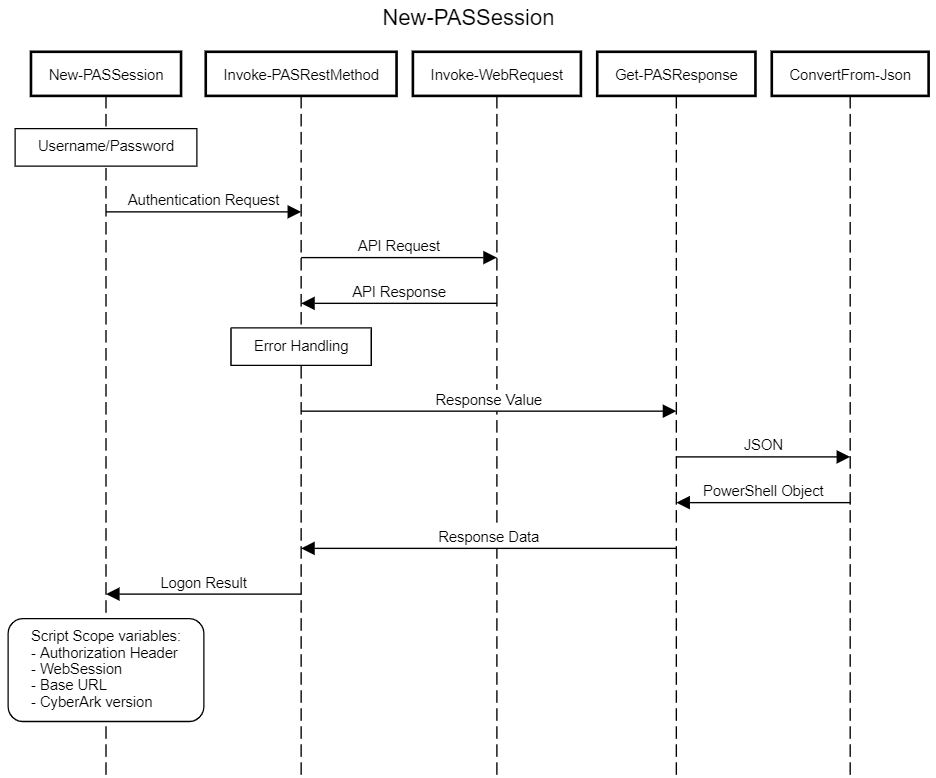
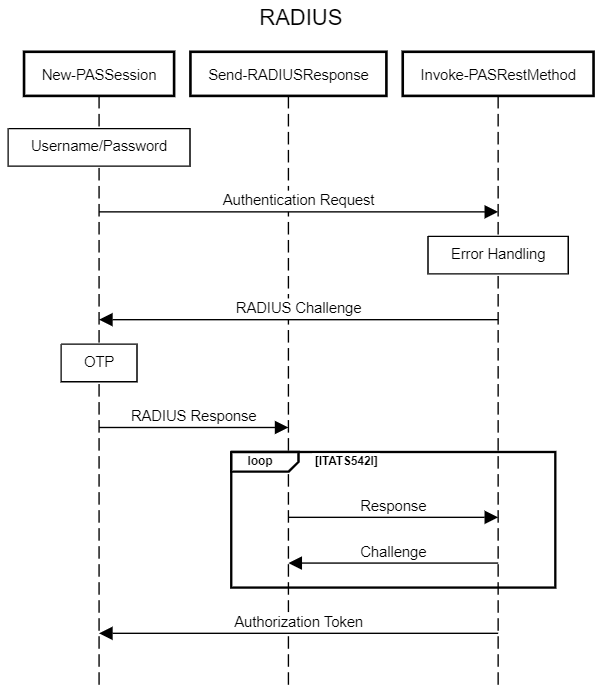
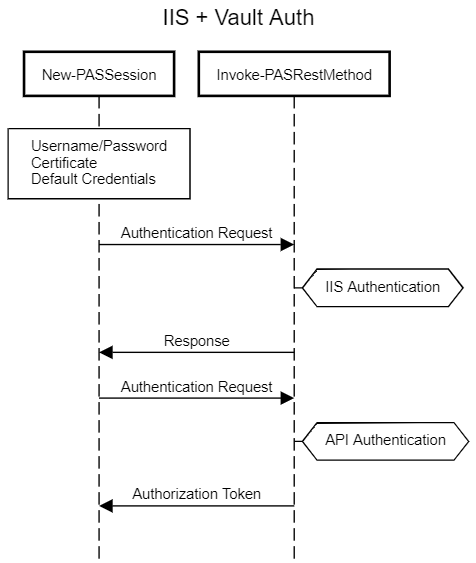
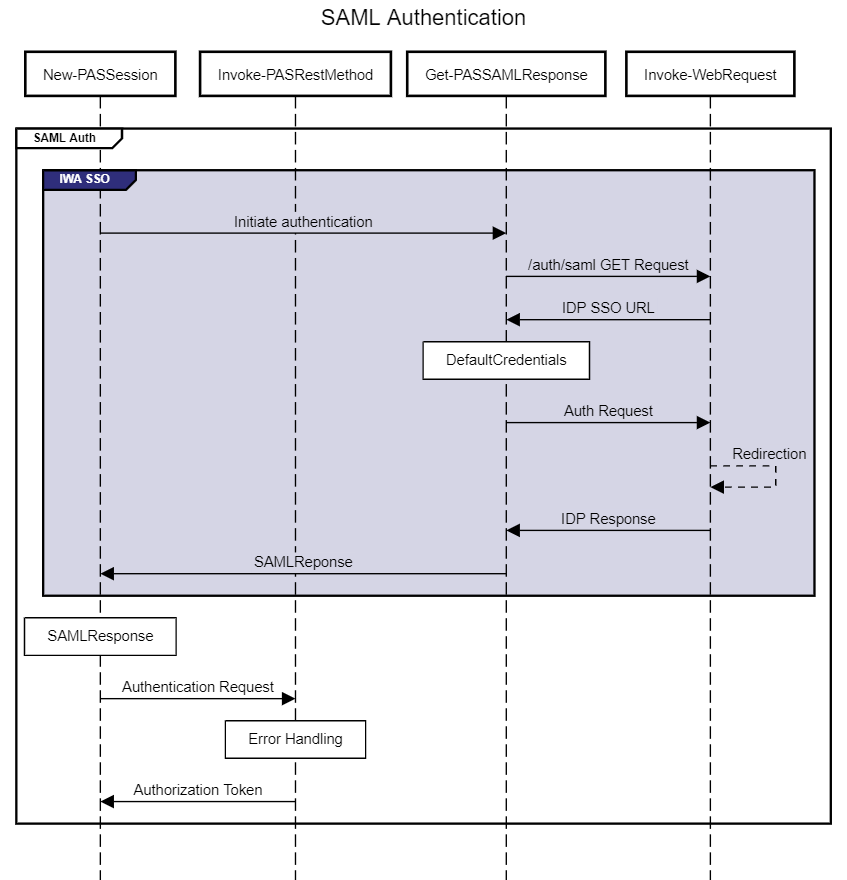
</ul>]]></content><author><name>Pete Maan</name></author><category term="Release Notes" /><category term="Set-PASPlatform" /><category term="New-PASPlatformSecret" /><category term="Stop-PASCPMTask" /><category term="Resume-PASCPMAutoManagement" /><category term="Remove-PASOAuthProvider" /><category term="Remove-PASReportTask" /><category term="Test-PASDiscoveredLocalAccount" /><category term="New-PASDiscoveredAccountObject" /><category term="Disable-PASBYOKConfig" /><category term="Enable-PASBYOKConfig" /><category term="Set-PASBYOKConfig" /><category term="Get-PASBYOKPolicyStatement" /><category term="Invoke-PASBYOKRotation" /><category term="Hide-PASDiscoveredLocalAccount" /><category term="Restore-PASDiscoveredLocalAccount" /><category term="Set-PASDiscoveredLocalAccount" /><category term="Get-PASDiscoveryScan" /><category term="Remove-PASDiscoveryScan" /><category term="Stop-PASDiscoveryScan" /><category term="Add-PASDiscoveryScan" /><category term="Get-PASReportActivity" /><category term="Add-PASOAuthProvider" /><category term="Get-PASOAuthProvider" /><category term="Set-PASOAuthProvider" /><category term="Set-PASReportTask" /><category term="Get-PASSessionTimeout" /><category term="Get-PASPlatform" /><category term="Get-PASReportTask" /><category term="New-PASReportTask" /><category term="Get-PASReport" /><category term="Get-PASMasterPolicy" /><category term="Set-PASMasterPolicy" /><category term="Set-PASSafe" /><category term="Get-PASVRMServiceStatus" /><category term="Start-PASVRMService" /><category term="Stop-PASVRMService" /><category term="Restart-PASVRMService" /><category term="Get-PASGroup" /><category term="Remove-PASAccount" /><category term="Clear-PASDependentLinkedAccount" /><category term="Set-PASDependentLinkedAccount" /><category term="Clear-PASLinkedAccount" /><category term="Set-PASLinkedAccount" /><category term="Resume-PASDependentAccount" /><category term="Unlock-PASAccount" /><category term="Invoke-PASCPMOperation" /><category term="Add-PASDiscoveredLocalAccount" /><category term="Publish-PASDiscoveredLocalAccount" /><category term="Get-PASSafeMember" /><category term="Get-PASSafe" /><category term="Find-PASSafe" /><category term="Get-PASPSMSession" /><category term="Get-PASPSMRecording" /><category term="Get-PASDependentAccount" /><category term="Get-PASAccount" /><category term="Clear-PASDiscoveredAccount" /><category term="Add-PASDiscoveredAccount" /><category term="Set-PASPTAEvent" /><category term="New-PASUser" /><category term="Set-PASUser" /><category term="New-PASDirectoryMapping" /><category term="Set-PASDirectoryMapping" /><category term="Get-PASUser" /><category term="New-PASSession" /><category term="Get-PASAccountSSHKey" /><category term="Get-PASServer" /><category term="Get-PASLoggedOnUser" /><category term="Get-PASSession" /><category term="Out-PASFile" /><category term="Export-PASTicketingSystemLog" /><summary type="html"><![CDATA[[8.0.0]]]></summary></entry><entry><title type="html">New-PASSession Deep Dive - Part 2: ISPSS &amp;amp; IdentityCommand</title><link href="https://pspas.pspete.dev/articles/new-passession-deep-dive-part-2/" rel="alternate" type="text/html" title="New-PASSession Deep Dive - Part 2: ISPSS &amp;amp; IdentityCommand" /><published>2026-08-04T00:00:00+00:00</published><updated>2026-08-04T00:00:00+00:00</updated><id>https://pspas.pspete.dev/articles/new-passession-deep-dive-part-2</id><content type="html" xml:base="https://pspas.pspete.dev/articles/new-passession-deep-dive-part-2/"><![CDATA[<p>Back in <a href="https://pspas.pspete.dev/articles/new-passession-deep-dive/">New-PASSession Deep Dive</a> we walked through how <strong><code class="language-plaintext highlighter-rouge">New-PASSession</code></strong> authenticates against a self-hosted CyberArk Privileged Access Manager installation - RADIUS challenges, IIS/Vault combined authentication, and SAML via <code class="language-plaintext highlighter-rouge">Get-PASSAMLResponse</code>.</p>

<p>Since that article was written, the CyberArk/Idira SaaS platform - Identity Security Platform Shared Services, or <strong>ISPSS</strong> - has become the common way a lot of new users are using psPAS to access Privilege Cloud. Authenticating against ISPSS doesn’t look anything like authenticating against a self-hosted Vault: instead of a single logon call to the PVWA, a request has to be authenticated against <strong>CyberArk Identity</strong> first, and only then handed a Privilege Cloud API URL to work against.</p>

<p>Rather than re-implementing an entire identity platform’s authentication surface inside psPAS, <strong><code class="language-plaintext highlighter-rouge">New-PASSession</code></strong> delegates this part of the job to a companion module, <strong>IdentityCommand</strong>.</p>

<p>This article is the “part 2” - what’s changed, what’s new, and how <strong><code class="language-plaintext highlighter-rouge">New-PASSession</code></strong> and <strong>IdentityCommand</strong> work together to get you a Privilege Cloud session.</p>

<h2 id="whats-new-since-part-1">What’s New Since Part 1</h2>

<p>Everything covered in the original article still applies unchanged for self-hosted authentication. On top of that, <strong><code class="language-plaintext highlighter-rouge">New-PASSession</code></strong> has gained a family of <code class="language-plaintext highlighter-rouge">ISPSS-*</code> parameter sets:</p>

<ul>
  <li><code class="language-plaintext highlighter-rouge">ISPSS-Subdomain-IdentityUser</code> / <code class="language-plaintext highlighter-rouge">ISPSS-URL-IdentityUser</code> - interactive authentication with a <code class="language-plaintext highlighter-rouge">-Credential</code>, including any MFA challenges configured for the user.</li>
  <li><code class="language-plaintext highlighter-rouge">ISPSS-Subdomain-ServiceUser</code> / <code class="language-plaintext highlighter-rouge">ISPSS-URL-ServiceUser</code> - non-interactive authentication for a CyberArk Identity <strong>Service User</strong> (an OAuth2 client id/secret pair, provided as a <code class="language-plaintext highlighter-rouge">-Credential</code>), intended for unattended automation.</li>
  <li><code class="language-plaintext highlighter-rouge">ISPSS-Subdomain-SAML</code> / <code class="language-plaintext highlighter-rouge">ISPSS-URL-SAML</code> - authentication using a SAML assertion obtained from a federated identity provider.</li>
</ul>

<p>The <code class="language-plaintext highlighter-rouge">-Subdomain</code>/<code class="language-plaintext highlighter-rouge">-URL</code> split running through all three pairs reflects two different ways of telling <strong><code class="language-plaintext highlighter-rouge">New-PASSession</code></strong> where your tenant lives, covered below in <a href="#tenant-discovery">Tenant Discovery</a>.</p>

<h2 id="a-new-dependency-identitycommand">A New Dependency: IdentityCommand</h2>

<p><strong><code class="language-plaintext highlighter-rouge">New-PASSession</code></strong> doesn’t implement CyberArk Identity’s authentication protocol itself. Instead, any <code class="language-plaintext highlighter-rouge">ISPSS-*</code> parameter set delegates the actual logon to <strong>IdentityCommand</strong>, a separate PowerShell module dedicated to CyberArk Identity operations, calling either <code class="language-plaintext highlighter-rouge">New-IDSession</code> (IdentityUser/SAML) or <code class="language-plaintext highlighter-rouge">New-IDPlatformToken</code> (ServiceUser).</p>

<p>That split is partly about keeping things tidy, but mostly about the fact that CyberArk Identity and the Privilege Cloud/PAS API are separate APIs with their own nuances - multi-step challenge/response, OOB polling, IdP redirects on one side, safes and accounts on the other. They’re just separate tools, with each maintained and released on its own schedule.</p>

<p>IdentityCommand is only ever needed if you actually use one of the <code class="language-plaintext highlighter-rouge">ISPSS-*</code> parameter sets (self-hosted users never need to install it). <strong><code class="language-plaintext highlighter-rouge">New-PASSession</code></strong> checks for it right before it’s needed:</p>

<div class="language-powershell highlighter-rouge"><div class="highlight"><pre class="highlight"><code><span class="kr">if</span><span class="w"> </span><span class="p">(</span><span class="o">-not</span><span class="w"> </span><span class="p">(</span><span class="n">Get-Module</span><span class="w"> </span><span class="nx">IdentityCommand</span><span class="p">))</span><span class="w"> </span><span class="p">{</span><span class="w">
	</span><span class="kr">try</span><span class="w"> </span><span class="p">{</span><span class="w"> </span><span class="n">Import-Module</span><span class="w"> </span><span class="nx">IdentityCommand</span><span class="w"> </span><span class="nt">-ErrorAction</span><span class="w"> </span><span class="nx">Stop</span><span class="w"> </span><span class="p">}</span><span class="w">
	</span><span class="kr">catch</span><span class="w"> </span><span class="p">{</span><span class="w"> </span><span class="kr">throw</span><span class="w"> </span><span class="s1">'Failed to import IdentityCommand: Install the IdentityCommand Module and try again.'</span><span class="w"> </span><span class="p">}</span><span class="w">
</span><span class="p">}</span><span class="w">
</span></code></pre></div></div>

<h2 id="tenant-discovery">Tenant Discovery</h2>

<p>Before any authentication can happen, <strong><code class="language-plaintext highlighter-rouge">New-PASSession</code></strong> needs two URLs: one for CyberArk Identity (<code class="language-plaintext highlighter-rouge">IdentityTenantURL</code>) and one for the Privilege Cloud API (<code class="language-plaintext highlighter-rouge">PrivilegeCloudURL</code>). There are two ways to supply them:</p>

<ul>
  <li>Provide both explicitly with <code class="language-plaintext highlighter-rouge">-IdentityTenantURL</code> and <code class="language-plaintext highlighter-rouge">-PrivilegeCloudURL</code> (the <code class="language-plaintext highlighter-rouge">ISPSS-URL-*</code> parameter sets).</li>
  <li>Provide just <code class="language-plaintext highlighter-rouge">-TenantSubdomain</code> (the <code class="language-plaintext highlighter-rouge">ISPSS-Subdomain-*</code> parameter sets) and let <strong><code class="language-plaintext highlighter-rouge">New-PASSession</code></strong> resolve both URLs for you.</li>
</ul>

<p>The subdomain path is handled by the private <code class="language-plaintext highlighter-rouge">Find-SharedServicesURL</code> helper, which queries CyberArk’s public platform discovery service and returns the full set of shared-service URLs registered for that subdomain - Identity, Privilege Cloud, and several others:</p>

<div class="language-powershell highlighter-rouge"><div class="highlight"><pre class="highlight"><code><span class="n">Find-SharedServicesURL</span><span class="w"> </span><span class="nt">-subdomain</span><span class="w"> </span><span class="nx">somedomain</span><span class="w"> </span><span class="nt">-service</span><span class="w"> </span><span class="nx">pcloud</span><span class="w">
</span></code></pre></div></div>

<p><img src="https://pspas.pspete.dev/assets/images/New-PASSession-Part2/Overview.png" alt="alt" class="half align-center" /></p>

<p>Whichever route is used, once both URLs are known, the flow converges - the <code class="language-plaintext highlighter-rouge">IdentityTenantURL</code> is handed to IdentityCommand to authenticate against, and the <code class="language-plaintext highlighter-rouge">PrivilegeCloudURL</code> becomes the base for every subsequent psPAS command in the session.</p>

<h2 id="identity-user-authentication">Identity User Authentication</h2>

<p><code class="language-plaintext highlighter-rouge">-IdentityUser</code> is the interactive case: a human, a <code class="language-plaintext highlighter-rouge">-Credential</code>, and potentially an MFA challenge to satisfy - the CyberArk Identity equivalent of typing your password and then approving a push notification.</p>

<p><strong><code class="language-plaintext highlighter-rouge">New-PASSession</code></strong> hands off to <code class="language-plaintext highlighter-rouge">New-IDSession -Credential</code>, which drives CyberArk Identity’s multi-step authentication API:</p>

<ul>
  <li><code class="language-plaintext highlighter-rouge">Start-Authentication</code> posts the username to <code class="language-plaintext highlighter-rouge">/Security/StartAuthentication</code>. The response may redirect to a different pod for the actual tenant, in which case the request is retried against the new host, or it may return a list of challenge mechanisms the user must satisfy.</li>
  <li>For each challenge, <code class="language-plaintext highlighter-rouge">Select-ChallengeMechanism</code> and <code class="language-plaintext highlighter-rouge">Get-MechanismAnswer</code> work out what’s being asked (password, OATH OTP, email/SMS code, push notification, security question, …) and obtain an answer, before <code class="language-plaintext highlighter-rouge">Start-AdvanceAuthentication</code> posts it to <code class="language-plaintext highlighter-rouge">/Security/AdvanceAuthentication</code>.</li>
  <li>Out-of-band mechanisms (push, email, SMS) return an <code class="language-plaintext highlighter-rouge">OobPending</code> status that’s polled every couple of seconds until the user responds, rather than requiring an immediate answer.</li>
  <li>Once every challenge in the set has been satisfied, a bearer <code class="language-plaintext highlighter-rouge">Token</code> is returned.</li>
</ul>

<p><img src="https://pspas.pspete.dev/assets/images/New-PASSession-Part2/IdentityUser.png" alt="alt" class="half align-center" /></p>

<p>This is the closest ISPSS equivalent of Part 1’s RADIUS challenge/response flow - a loop of challenge and answer - except here the entire loop happens inside IdentityCommand, and <strong><code class="language-plaintext highlighter-rouge">New-PASSession</code></strong> only ever sees the final <code class="language-plaintext highlighter-rouge">Token</code>.</p>

<h2 id="service-user-authentication">Service User Authentication</h2>

<p><code class="language-plaintext highlighter-rouge">-ServiceUser</code> is the non-interactive case, intended for scheduled tasks, pipelines, and other unattended automation where there’s no human available to answer an MFA challenge. A CyberArk Identity <strong>Service User</strong> is configured with an OAuth2 client id and secret, supplied to <strong><code class="language-plaintext highlighter-rouge">New-PASSession</code></strong> as a <code class="language-plaintext highlighter-rouge">-Credential</code> in the same way any other credential is.</p>

<p><strong><code class="language-plaintext highlighter-rouge">New-PASSession</code></strong> hands off to <code class="language-plaintext highlighter-rouge">New-IDPlatformToken</code>, which performs a standard OAuth2 client-credentials grant against <code class="language-plaintext highlighter-rouge">/OAuth2/PlatformToken</code>:</p>

<div class="language-powershell highlighter-rouge"><div class="highlight"><pre class="highlight"><code><span class="nv">$LogonRequest</span><span class="p">[</span><span class="s1">'Body'</span><span class="p">]</span><span class="w"> </span><span class="o">=</span><span class="w"> </span><span class="p">@{</span><span class="w">
	</span><span class="nx">grant_type</span><span class="w">    </span><span class="o">=</span><span class="w"> </span><span class="s1">'client_credentials'</span><span class="w">
	</span><span class="nx">client_id</span><span class="w">     </span><span class="o">=</span><span class="w"> </span><span class="err">$(</span><span class="nv">$Credential</span><span class="err">.</span><span class="nx">UserName</span><span class="err">)</span><span class="w">
	</span><span class="nx">client_secret</span><span class="w"> </span><span class="o">=</span><span class="w"> </span><span class="err">$(</span><span class="nv">$Credential</span><span class="err">.</span><span class="nx">GetNetworkCredential</span><span class="err">().</span><span class="nx">Password</span><span class="err">)</span><span class="w">
</span><span class="p">}</span><span class="w">
</span></code></pre></div></div>

<p><img src="https://pspas.pspete.dev/assets/images/New-PASSession-Part2/ServiceUser.png" alt="alt" class="half align-center" /></p>

<h2 id="saml-authentication-via-identity">SAML Authentication via Identity</h2>

<p>The newest addition to the ISPSS family lets a SAML assertion obtained from a federated identity provider be exchanged for a Privilege Cloud session, using the same <code class="language-plaintext highlighter-rouge">-SAMLResponse</code> parameter already familiar from Part 1’s Gen1/Gen2 SAML parameter sets - only this time it’s presented to CyberArk Identity rather than directly to a self-hosted PVWA.</p>

<p><code class="language-plaintext highlighter-rouge">New-IDSession -SAMLResponse</code> drives this in two steps:</p>

<ul>
  <li><code class="language-plaintext highlighter-rouge">Start-SamlAuthentication</code> posts the assertion to the tenant’s <code class="language-plaintext highlighter-rouge">/my</code> endpoint. A successful response sets a handful of authentication cookies (<code class="language-plaintext highlighter-rouge">.ASPXAUTH</code>, <code class="language-plaintext highlighter-rouge">antixss</code>, <code class="language-plaintext highlighter-rouge">CCSID</code>, <code class="language-plaintext highlighter-rouge">podloc</code>, <code class="language-plaintext highlighter-rouge">sessdata</code>, <code class="language-plaintext highlighter-rouge">userdata</code>) into the request’s <code class="language-plaintext highlighter-rouge">WebSession</code>.</li>
  <li><code class="language-plaintext highlighter-rouge">Complete-SamlAuthentication</code> then issues a <code class="language-plaintext highlighter-rouge">GET</code> against <code class="language-plaintext highlighter-rouge">/login</code> using that same <code class="language-plaintext highlighter-rouge">WebSession</code>, so the cookies just obtained are presented back to the tenant, which responds with the bearer <code class="language-plaintext highlighter-rouge">Token</code>.</li>
</ul>

<p><img src="https://pspas.pspete.dev/assets/images/New-PASSession-Part2/SAML.png" alt="alt" class="half align-center" /></p>

<p>As with self-hosted SAML, obtaining the <code class="language-plaintext highlighter-rouge">SAMLResponse</code> value from your IdP in the first place is outside psPAS’s scope - see Part 1’s notes on <a href="https://github.com/allynl93/PS-SAML-Interactive">PS-SAML-Interactive</a> for one community-provided way to get one interactively.</p>

<ul>
  <li>it’s worth noting that if your tenant is configured to use SAML authentication, the IdentityUser authentication flow should get you through that process without the need for you to obtain and provide a <code class="language-plaintext highlighter-rouge">SAMLResponse</code> up front.</li>
</ul>

<h2 id="feeding-the-result-back-into-pspassession">Feeding the Result Back into psPASSession</h2>

<p>However you get there, IdentityCommand hands <strong><code class="language-plaintext highlighter-rouge">New-PASSession</code></strong> back an object shaped differently depending on the auth method - a <code class="language-plaintext highlighter-rouge">Token</code> property for IdentityUser/SAML, or an <code class="language-plaintext highlighter-rouge">access_token</code>/<code class="language-plaintext highlighter-rouge">token_type</code> pair for ServiceUser - alongside a <code class="language-plaintext highlighter-rouge">GetWebSession()</code> script method that IdentityCommand attaches to let <strong><code class="language-plaintext highlighter-rouge">New-PASSession</code></strong> retrieve the <code class="language-plaintext highlighter-rouge">WebSession</code> it built up during authentication (cookies and all).</p>

<p><strong><code class="language-plaintext highlighter-rouge">New-PASSession</code></strong>’s existing result-handling <code class="language-plaintext highlighter-rouge">switch</code>, already responsible for recognising a classic <code class="language-plaintext highlighter-rouge">CyberArkLogonResult</code> or Gen2 <code class="language-plaintext highlighter-rouge">LogonResult</code> from self-hosted logons, gained two more branches to recognise these shapes and normalise them into the same thing every other psPAS command expects - a single <code class="language-plaintext highlighter-rouge">Authorization</code> header value on <code class="language-plaintext highlighter-rouge">$psPASSession.WebSession</code>:</p>

<div class="language-powershell highlighter-rouge"><div class="highlight"><pre class="highlight"><code><span class="p">(</span><span class="w"> </span><span class="p">{</span><span class="w"> </span><span class="bp">$null</span><span class="w"> </span><span class="o">-ne</span><span class="w"> </span><span class="bp">$PSItem</span><span class="o">.</span><span class="nf">access_token</span><span class="w"> </span><span class="p">}</span><span class="w"> </span><span class="p">)</span><span class="w"> </span><span class="p">{</span><span class="w">
	</span><span class="c">#Shared Service access_token.</span><span class="w">
	</span><span class="nv">$CyberArkLogonResult</span><span class="w"> </span><span class="o">=</span><span class="w"> </span><span class="s2">"</span><span class="si">$(</span><span class="nv">$PASSession</span><span class="o">.</span><span class="nf">token_type</span><span class="si">)</span><span class="s2"> </span><span class="si">$(</span><span class="nv">$PASSession</span><span class="o">.</span><span class="nf">access_token</span><span class="si">)</span><span class="s2">"</span><span class="w">
	</span><span class="nv">$psPASSession</span><span class="o">.</span><span class="nf">WebSession</span><span class="w"> </span><span class="o">=</span><span class="w"> </span><span class="err">$</span><span class="p">(</span><span class="bp">$PSItem</span><span class="o">.</span><span class="nf">GetWebSession</span><span class="p">())</span><span class="w">
</span><span class="p">}</span><span class="w">

</span><span class="p">(</span><span class="w"> </span><span class="p">{</span><span class="w"> </span><span class="bp">$null</span><span class="w"> </span><span class="o">-ne</span><span class="w"> </span><span class="bp">$PSItem</span><span class="o">.</span><span class="nf">Token</span><span class="w"> </span><span class="p">}</span><span class="w"> </span><span class="p">)</span><span class="w"> </span><span class="p">{</span><span class="w">
	</span><span class="c">#Shared Services Identity User Bearer Token</span><span class="w">
	</span><span class="nv">$CyberArkLogonResult</span><span class="w"> </span><span class="o">=</span><span class="w"> </span><span class="s2">"Bearer </span><span class="si">$(</span><span class="nv">$PASSession</span><span class="o">.</span><span class="nf">Token</span><span class="si">)</span><span class="s2">"</span><span class="w">
	</span><span class="nv">$psPASSession</span><span class="o">.</span><span class="nf">WebSession</span><span class="w"> </span><span class="o">=</span><span class="w"> </span><span class="err">$</span><span class="p">(</span><span class="bp">$PSItem</span><span class="o">.</span><span class="nf">GetWebSession</span><span class="p">())</span><span class="w">
</span><span class="p">}</span><span class="w">
</span></code></pre></div></div>

<p>Two more values are set that don’t apply to self-hosted sessions:</p>

<ul>
  <li><code class="language-plaintext highlighter-rouge">$psPASSession.BaseURI</code> is set to the Privilege Cloud PVWA URL (<code class="language-plaintext highlighter-rouge">PrivilegeCloudURL/PVWAAppName</code>), exactly as <code class="language-plaintext highlighter-rouge">BaseURI</code> is for a self-hosted session - every other psPAS command keeps working against it unmodified.</li>
  <li><code class="language-plaintext highlighter-rouge">$psPASSession.ApiURI</code> is set to the raw <code class="language-plaintext highlighter-rouge">PrivilegeCloudURL</code>, without the rest of the module needing to know how the session was authenticated. It’s how helpers like <code class="language-plaintext highlighter-rouge">Get-NextLink</code> and version-aware commands can tell a Privilege Cloud session apart from a self-hosted one, since the two don’t always shape pagination and version-gated responses the same way.</li>
</ul>

<p>From here on, the session behaves exactly as described in Part 1 and in <a href="https://pspas.pspete.dev/articles/anatomy-of-a-pspas-command/">Anatomy of a psPAS Command</a> - every other command reads <code class="language-plaintext highlighter-rouge">$psPASSession.WebSession</code> and <code class="language-plaintext highlighter-rouge">$psPASSession.BaseURI</code> without caring whether <code class="language-plaintext highlighter-rouge">New-PASSession</code> got there via a Vault logon or via IdentityCommand.</p>

<h2 id="summary">Summary</h2>

<p>Authenticating to ISPSS/Privilege Cloud looks nothing like authenticating to a self-hosted Vault under the hood, but <strong><code class="language-plaintext highlighter-rouge">New-PASSession</code></strong> soaks up that difference for you: three ISPSS parameter sets, a lazily-loaded dependency on IdentityCommand, and a bit of result normalisation at the end, and the rest of psPAS never has to know which kind of session it’s talking to.</p>

<p>Did we forget anything?</p>

<p>Let us know if there is any further information you would want to see or if you have any questions that have not been answered.</p>]]></content><author><name>Pete Maan</name></author><category term="psPAS Article" /><category term="Deep Dive" /><category term="New-PASSession" /><category term="IdentityCommand" /><category term="New-IDSession" /><category term="New-IDPlatformToken" /><category term="Find-SharedServicesURL" /><category term="ISPSS" /><category term="Privilege Cloud" /><category term="SAML" /><summary type="html"><![CDATA[Back in New-PASSession Deep Dive we walked through how New-PASSession authenticates against a self-hosted CyberArk Privileged Access Manager installation - RADIUS challenges, IIS/Vault combined authentication, and SAML via Get-PASSAMLResponse.]]></summary></entry><entry><title type="html">Anatomy of a psPAS Command</title><link href="https://pspas.pspete.dev/articles/anatomy-of-a-pspas-command/" rel="alternate" type="text/html" title="Anatomy of a psPAS Command" /><published>2026-08-02T00:00:00+00:00</published><updated>2026-08-02T00:00:00+00:00</updated><id>https://pspas.pspete.dev/articles/anatomy-of-a-pspas-command</id><content type="html" xml:base="https://pspas.pspete.dev/articles/anatomy-of-a-pspas-command/"><![CDATA[<p>In this article we will delve into the structure of psPAS commands.</p>

<p><img src="https://pspas.pspete.dev/assets/images/Anatomy-of-a-psPAS-Command/Overview.png" alt="alt" class="half align-center" /></p>

<p>Every request made by a psPAS command to the CyberArk API passes through the same sequence of steps, whether the command is retrieving a single account, onboarding a new safe member, or invoking a CPM operation:</p>

<ul>
  <li>Parse the parameters supplied to the command.</li>
  <li>Check that the target CyberArk version, and environment type, supports the command and the parameters used.</li>
  <li>Build the request URL, including any query string or filter.</li>
  <li>Construct the request, including any body payload.</li>
  <li>Send the request to the API.</li>
  <li>Format and return any results received.</li>
</ul>

<h2 id="need-less-have-more">Need Less, Have More</h2>

<p>If the psPAS project had a motto, it would be “Need Less, Have More”; the principle behind the style adopted for the module is to emphasise simplicity and efficiency, using code that is concise, readable, and easy to maintain, avoiding complexity and redundancy, without sacrificing clarity or maintainability.</p>

<p>The intention of development time put into the psPAS “Need Less, Have More” style, is to save time; simplifying future development cycles.</p>

<p>Some of the patterns adopted for psPAS are:</p>

<ul>
  <li>Meaningful variable and function names with consistent use of powershell approved verbs are used throughout.</li>
  <li>Use of standard formatting patterns, whitespace, and comments make the code easy to read and understand.</li>
  <li>Duplicate code is avoided by creating helper functions &amp; classes which can be reused throughout the module.</li>
  <li>The code is kept modular, divided into into small, independent function files which can be tested independently.</li>
  <li>We optimize for performance, using efficient methods &amp; data structures.</li>
  <li>Use of automated tests for the module code ensures that it works as expected.</li>
</ul>

<p>By following these guidelines if contributing to the project, we can ensure code is effective, efficient, and easy to maintain.</p>

<p>When you, the module user, review any of the module files, our coding style helps by being easier to read and understand.</p>

<h2 id="simplicity--structure">Simplicity &amp; Structure</h2>

<p>After authentication with <code class="language-plaintext highlighter-rouge">New-PASSession</code>, for which a detailed break down was provided in our previous article, every psPAS
command follows the same basic structure:</p>

<ul>
  <li>Perform a version check against the API and the command being issued.</li>
  <li>Create the request URL and body payload.</li>
  <li>Invoke the command, sending the request to the API endpoint.</li>
  <li>Format any results received from the command output.</li>
</ul>

<p>We will explore each of these structural elements, and the internal helper functions behind them, in the sections that follow, using <strong><code class="language-plaintext highlighter-rouge">Get-PASAccount</code></strong> - one of the most heavily used commands in the module - as a running example.</p>

<h3 id="version-check">Version Check</h3>

<p>In 2017, when the CyberArk PAS toolset was iterating through the version 9.x releases, development and of psPAS started and the first version of the module was published to GitHub. Since then, the psPAS module has expanded to encompass each individual API command documented for CyberArk Privileged Access Manager.</p>

<p>As some commands or parameters are only relevant for certain version levels of the CyberArk API, a lot of issues logged against the psPAS module in the early days were related to command or parameter usage against incompatible versions. As the intention is for psPAS to maintain compatibility with past, present &amp; future versions of CyberArk Privileged Access Manager, a mechanism to prevent inadvertent use of unsupported commands for any particular CyberArk version was required to avoid incompatible commands being issued and to save time spent investigating issues caused by incompatible versions.</p>

<p>The <code class="language-plaintext highlighter-rouge">Assert-VersionRequirement</code> helper function was developed to provide us this mechanism. It is used throughout the module to affirm that a version satisfies a required level, and it throws an error if a provided version number does not meet or exceed a required level.</p>

<p>This basic example illustrates asserting that version 1.0 is meets the required version level of 0.5.
Nothing is returned from the function as 1.0 exceeds 0.5.</p>

<div class="language-powershell highlighter-rouge"><div class="highlight"><pre class="highlight"><code><span class="n">Assert-VersionRequirement</span><span class="w"> </span><span class="nt">-ExternalVersion</span><span class="w"> </span><span class="nx">1.0</span><span class="w"> </span><span class="nt">-RequiredVersion</span><span class="w"> </span><span class="nx">0.5</span><span class="w">
</span></code></pre></div></div>

<p>Conversely in the next example, asserting that version 1.0 is meets the required version level of 2.0, the function throws an error as 1.0 does not equal or exceed 2.0.</p>

<div class="language-powershell highlighter-rouge"><div class="highlight"><pre class="highlight"><code><span class="n">Assert-VersionRequirement</span><span class="w"> </span><span class="nt">-ExternalVersion</span><span class="w"> </span><span class="nx">1.0</span><span class="w"> </span><span class="nt">-RequiredVersion</span><span class="w"> </span><span class="nx">2.0</span><span class="w">
</span></code></pre></div></div>

<p>To allow for occurrences where API functionality may be depreciated in certain CyberArk versions, there is also a mechanism to check a maximum version is not exceeded.
In this example, an error is thrown by the function as 1.0 exceeds the maximum version of 0.5.</p>

<div class="language-powershell highlighter-rouge"><div class="highlight"><pre class="highlight"><code><span class="n">Assert-VersionRequirement</span><span class="w"> </span><span class="nt">-ExternalVersion</span><span class="w"> </span><span class="nx">1.0</span><span class="w"> </span><span class="nt">-MaximumVersion</span><span class="w"> </span><span class="nx">0.5</span><span class="w">
</span></code></pre></div></div>

<p>Beyond version numbers, some functionality is only relevant to one type of CyberArk implementation. The <code class="language-plaintext highlighter-rouge">PrivilegeCloud</code> and <code class="language-plaintext highlighter-rouge">SelfHosted</code> switch parameters let a command assert that it is only being run against the applicable solution type, throwing an error otherwise. <code class="language-plaintext highlighter-rouge">$psPASSession.BaseUri</code> is inspected for this - a <code class="language-plaintext highlighter-rouge">cyberark.cloud</code> address identifies a Privilege Cloud shared services implementation, anything else is treated as Self-Hosted.</p>

<div class="language-powershell highlighter-rouge"><div class="highlight"><pre class="highlight"><code><span class="n">Assert-VersionRequirement</span><span class="w"> </span><span class="nt">-PrivilegeCloud</span><span class="w">
</span></code></pre></div></div>

<p>The <code class="language-plaintext highlighter-rouge">Assert-VersionRequirement</code> helper function itself relies on 3 separate helper functions, <code class="language-plaintext highlighter-rouge">Compare-MinimumVersion</code>,
<code class="language-plaintext highlighter-rouge">Compare-MaximumVersion</code> &amp; <code class="language-plaintext highlighter-rouge">Get-ParentFunction</code>.</p>

<p><code class="language-plaintext highlighter-rouge">Compare-MinimumVersion</code> &amp; <code class="language-plaintext highlighter-rouge">Compare-MaximumVersion</code> simply compare 2 version numbers, returning a <code class="language-plaintext highlighter-rouge">TRUE</code> value if the specified version number exceeds a designated minimum version number, or does not exceed a designated maximum version number. A value of <code class="language-plaintext highlighter-rouge">FALSE</code> is returned if the minimum version number, or the maximum version number requirement is not met.
Together <code class="language-plaintext highlighter-rouge">Compare-MinimumVersion</code> &amp; <code class="language-plaintext highlighter-rouge">Compare-MaximumVersion</code> provide the logical components required for <code class="language-plaintext highlighter-rouge">Assert-VersionRequirement</code> to be able to “do the needful”.</p>

<p><code class="language-plaintext highlighter-rouge">Get-ParentFunction</code> lets us get some meaningful information back to a user when reporting any kind of issue with version dependant functionality. Specific version requirements could be based on invocation of an arbitrary psPAS command, this function was developed to let us provide the name of the psPAS function, and any specific parameterset, behind any reported error condition.
When the helper function is invoked, it exists in a child scope of the <code class="language-plaintext highlighter-rouge">Assert-VersionRequirement</code> function, which itself exists in a child scope of the parent psPAS function. <code class="language-plaintext highlighter-rouge">Get-ParentFunction</code> retrieves the variable values for <code class="language-plaintext highlighter-rouge">$MyInvocation</code> &amp; <code class="language-plaintext highlighter-rouge">$PSCmdLet</code> from the scope of the parent function so that the parent function name and the name of the parameterset used can be reflected in any error message.</p>

<p><img src="https://pspas.pspete.dev/assets/images/Anatomy-of-a-psPAS-Command/VersionCheck.png" alt="alt" class="half align-center" /></p>

<p>This all matters because a psPAS release and a CyberArk solution release move independently of each other. A user may install the latest version of the module against an older, self-hosted environment that predates a parameter’s minimum required version, or may hold on to an older psPAS release long after CyberArk has retired the API behaviour a newer command depends on. <code class="language-plaintext highlighter-rouge">Assert-VersionRequirement</code> is what lets a single command body cope with either situation consistently - rather than every function needing its own bespoke version-gating logic, an unsupported parameter or parameterset combination is always reported back the same way, with the offending command, parameterset, and version requirement named in the error.</p>

<p><strong><code class="language-plaintext highlighter-rouge">Get-PASAccount</code></strong> puts most of these checks to use at once. Different parameters exposed by the command require different minimum API versions, and one value of the <code class="language-plaintext highlighter-rouge">savedFilter</code> parameter, <code class="language-plaintext highlighter-rouge">DeleteInsightStatus</code>, is only meaningful for Privilege Cloud:</p>

<div class="language-powershell highlighter-rouge"><div class="highlight"><pre class="highlight"><code><span class="kr">switch</span><span class="w"> </span><span class="p">(</span><span class="bp">$PSBoundParameters</span><span class="p">)</span><span class="w"> </span><span class="p">{</span><span class="w">

	</span><span class="p">(</span><span class="w"> </span><span class="p">{</span><span class="w"> </span><span class="bp">$PSItem</span><span class="o">.</span><span class="nf">ContainsKey</span><span class="p">(</span><span class="s1">'savedFilter'</span><span class="p">)</span><span class="w"> </span><span class="p">})</span><span class="w"> </span><span class="p">{</span><span class="w">
		</span><span class="n">Assert-VersionRequirement</span><span class="w"> </span><span class="nt">-RequiredVersion</span><span class="w"> </span><span class="nx">12.6</span><span class="w">

		</span><span class="kr">if</span><span class="w"> </span><span class="p">(</span><span class="nv">$savedFilter</span><span class="w"> </span><span class="o">-eq</span><span class="w"> </span><span class="s1">'DeleteInsightStatus'</span><span class="p">)</span><span class="w"> </span><span class="p">{</span><span class="w">
			</span><span class="c">#DeleteInsightStatus is only applicable to Privilege Cloud</span><span class="w">
			</span><span class="n">Assert-VersionRequirement</span><span class="w"> </span><span class="nt">-PrivilegeCloud</span><span class="w">
		</span><span class="p">}</span><span class="w">

	</span><span class="p">}</span><span class="w">

	</span><span class="p">(</span><span class="w"> </span><span class="p">{</span><span class="w"> </span><span class="bp">$PSItem</span><span class="o">.</span><span class="nf">ContainsKey</span><span class="p">(</span><span class="s1">'modificationTime'</span><span class="p">)</span><span class="w"> </span><span class="p">})</span><span class="w"> </span><span class="p">{</span><span class="w">
		</span><span class="n">Assert-VersionRequirement</span><span class="w"> </span><span class="nt">-RequiredVersion</span><span class="w"> </span><span class="nx">11.4</span><span class="w">
	</span><span class="p">}</span><span class="w">

	</span><span class="n">default</span><span class="w"> </span><span class="p">{</span><span class="w">
		</span><span class="c">#check minimum version</span><span class="w">
		</span><span class="n">Assert-VersionRequirement</span><span class="w"> </span><span class="nt">-RequiredVersion</span><span class="w"> </span><span class="nx">10.4</span><span class="w">
	</span><span class="p">}</span><span class="w">

</span><span class="p">}</span><span class="w">
</span></code></pre></div></div>

<p>Only the checks relevant to the parameters actually supplied by the caller are evaluated, so a simple <code class="language-plaintext highlighter-rouge">Get-PASAccount -search foo</code> never pays the cost, or the risk of failure, of a check for a parameter it didn’t use.</p>

<h3 id="get-parameters">Get Parameters</h3>

<p>Once a command knows it’s allowed to proceed, it needs to work out what to actually send to the API. Every parameter a user supplies lands in the automatic <code class="language-plaintext highlighter-rouge">$PSBoundParameters</code> variable, but that hashtable also contains things that have no place in a request body or query string - common parameters like <code class="language-plaintext highlighter-rouge">-Verbose</code> and <code class="language-plaintext highlighter-rouge">-Confirm</code>, and psPAS-specific plumbing parameters like <code class="language-plaintext highlighter-rouge">-TimeoutSec</code> or <code class="language-plaintext highlighter-rouge">-UseClassicAPI</code>.</p>

<p><code class="language-plaintext highlighter-rouge">Get-PASParameter</code> is the helper responsible for trimming <code class="language-plaintext highlighter-rouge">$PSBoundParameters</code> down to only what’s relevant. It has two modes, controlled by its parameter set:</p>

<ul>
  <li>By default it <strong>removes</strong> a fixed list of common/plumbing parameter names (plus any extra names passed via <code class="language-plaintext highlighter-rouge">-ParametersToRemove</code>), returning everything else.</li>
  <li>Given <code class="language-plaintext highlighter-rouge">-ParametersToKeep</code>, it does the opposite, returning only the named parameters - this is how a command pulls out just the values destined for the filter/query string, separately from the values destined for the request body.</li>
</ul>

<div class="language-powershell highlighter-rouge"><div class="highlight"><pre class="highlight"><code><span class="c">#Everything except the values used to build the filter</span><span class="w">
</span><span class="nv">$boundParameters</span><span class="w"> </span><span class="o">=</span><span class="w"> </span><span class="bp">$PSBoundParameters</span><span class="w"> </span><span class="o">|</span><span class="w"> </span><span class="n">Get-PASParameter</span><span class="w"> </span><span class="nt">-ParametersToRemove</span><span class="w"> </span><span class="nv">$Parameters</span><span class="w">

</span><span class="c">#Only the values used to build the filter</span><span class="w">
</span><span class="nv">$filterParameters</span><span class="w"> </span><span class="o">=</span><span class="w"> </span><span class="bp">$PSBoundParameters</span><span class="w"> </span><span class="o">|</span><span class="w"> </span><span class="n">Get-PASParameter</span><span class="w"> </span><span class="nt">-ParametersToKeep</span><span class="w"> </span><span class="nv">$Parameters</span><span class="w">
</span></code></pre></div></div>

<p>With the right values isolated, two more helpers turn them into strings that belong in a URL:</p>

<ul>
  <li><code class="language-plaintext highlighter-rouge">ConvertTo-QueryString</code> takes a hashtable and joins each key/value pair as <code class="language-plaintext highlighter-rouge">Key=Value</code>, joining multiple pairs with <code class="language-plaintext highlighter-rouge">&amp;</code>, escaping each value with <code class="language-plaintext highlighter-rouge">Get-EscapedString</code> along the way. This is what produces the <code class="language-plaintext highlighter-rouge">?key=value&amp;key=value</code> portion of a request URL.</li>
  <li><code class="language-plaintext highlighter-rouge">ConvertTo-FilterString</code> takes a hashtable and instead produces a single <code class="language-plaintext highlighter-rouge">filter</code> key, joining <code class="language-plaintext highlighter-rouge">Key eq Value</code> pairs together with <code class="language-plaintext highlighter-rouge">AND</code> (or <code class="language-plaintext highlighter-rouge">OR</code>, for API versions that support a <code class="language-plaintext highlighter-rouge">-LogicalOperator</code>). A <code class="language-plaintext highlighter-rouge">modificationTime</code> key is treated specially, converted to unix time and compared with <code class="language-plaintext highlighter-rouge">gte</code> instead of <code class="language-plaintext highlighter-rouge">eq</code>, matching how the CyberArk API expects date-based filtering to be expressed.</li>
</ul>

<p><img src="https://pspas.pspete.dev/assets/images/Anatomy-of-a-psPAS-Command/GetParameters.png" alt="alt" class="half align-center" /></p>

<p><strong><code class="language-plaintext highlighter-rouge">Get-PASAccount</code></strong> uses both together - the filter string produced by <code class="language-plaintext highlighter-rouge">ConvertTo-FilterString</code> is folded back into the same hashtable that <code class="language-plaintext highlighter-rouge">ConvertTo-QueryString</code> then serialises, so a search against several filterable properties and a <code class="language-plaintext highlighter-rouge">sort</code>/<code class="language-plaintext highlighter-rouge">limit</code> value ends up in the same query string:</p>

<div class="language-powershell highlighter-rouge"><div class="highlight"><pre class="highlight"><code><span class="nv">$boundParameters</span><span class="w"> </span><span class="o">=</span><span class="w"> </span><span class="bp">$PSBoundParameters</span><span class="w"> </span><span class="o">|</span><span class="w"> </span><span class="n">Get-PASParameter</span><span class="w"> </span><span class="nt">-ParametersToRemove</span><span class="w"> </span><span class="nv">$Parameters</span><span class="w">
</span><span class="nv">$filterParameters</span><span class="w"> </span><span class="o">=</span><span class="w"> </span><span class="bp">$PSBoundParameters</span><span class="w"> </span><span class="o">|</span><span class="w"> </span><span class="n">Get-PASParameter</span><span class="w"> </span><span class="nt">-ParametersToKeep</span><span class="w"> </span><span class="nv">$Parameters</span><span class="w">

</span><span class="nv">$FilterString</span><span class="w"> </span><span class="o">=</span><span class="w"> </span><span class="nv">$filterParameters</span><span class="w"> </span><span class="o">|</span><span class="w"> </span><span class="n">ConvertTo-FilterString</span><span class="w">

</span><span class="kr">if</span><span class="w"> </span><span class="p">(</span><span class="bp">$null</span><span class="w"> </span><span class="o">-ne</span><span class="w"> </span><span class="nv">$FilterString</span><span class="p">)</span><span class="w"> </span><span class="p">{</span><span class="w">
	</span><span class="nv">$boundParameters</span><span class="w"> </span><span class="o">=</span><span class="w"> </span><span class="nv">$boundParameters</span><span class="w"> </span><span class="o">+</span><span class="w"> </span><span class="nv">$FilterString</span><span class="w">
</span><span class="p">}</span><span class="w">

</span><span class="nv">$queryString</span><span class="w"> </span><span class="o">=</span><span class="w"> </span><span class="nv">$boundParameters</span><span class="w"> </span><span class="o">|</span><span class="w"> </span><span class="n">ConvertTo-QueryString</span><span class="w">

</span><span class="kr">if</span><span class="w"> </span><span class="p">(</span><span class="bp">$null</span><span class="w"> </span><span class="o">-ne</span><span class="w"> </span><span class="nv">$queryString</span><span class="p">)</span><span class="w"> </span><span class="p">{</span><span class="w">
	</span><span class="nv">$URI</span><span class="w"> </span><span class="o">=</span><span class="w"> </span><span class="s2">"</span><span class="nv">$URI</span><span class="se">`?</span><span class="nv">$queryString</span><span class="s2">"</span><span class="w">
</span><span class="p">}</span><span class="w">
</span></code></pre></div></div>

<p>Which properties are even <em>available</em> to filter or search on isn’t always fixed at development time either - newer, self-hosted API versions expose a searchable-properties endpoint, and <code class="language-plaintext highlighter-rouge">Get-PASAccount</code> uses a <code class="language-plaintext highlighter-rouge">dynamicparam</code> block to query it and generate a matching PowerShell parameter for each one at runtime, so the command’s parameters stay in step with whatever the connected CyberArk instance actually supports, without psPAS needing a release for every new searchable property CyberArk adds.</p>

<h3 id="command-invocation">Command Invocation</h3>

<p>With a URL (and, for anything other than a <code class="language-plaintext highlighter-rouge">GET</code>, a body) built, the request is handed off to <code class="language-plaintext highlighter-rouge">Invoke-PASRestMethod</code>, the module’s single point of contact with <code class="language-plaintext highlighter-rouge">Invoke-WebRequest</code>. Every request psPAS makes, including those made by <code class="language-plaintext highlighter-rouge">New-PASSession</code> itself, passes through this function, which means request-level concerns only need to be solved once:</p>

<ul>
  <li>It defaults <code class="language-plaintext highlighter-rouge">ContentType</code> to <code class="language-plaintext highlighter-rouge">application/json</code> and always passes <code class="language-plaintext highlighter-rouge">-UseBasicParsing</code>.</li>
  <li>On PowerShell Core it adds <code class="language-plaintext highlighter-rouge">-SkipHeaderValidation</code> and forces <code class="language-plaintext highlighter-rouge">-SslProtocol TLS12</code>; on any platform it ensures TLS 1.2 is enabled as a security protocol if it isn’t already.</li>
  <li>Unless an alternate <code class="language-plaintext highlighter-rouge">-WebSession</code> or <code class="language-plaintext highlighter-rouge">-SessionVariable</code> is supplied, it automatically reuses <code class="language-plaintext highlighter-rouge">$psPASSession.WebSession</code> - the authenticated session established by <code class="language-plaintext highlighter-rouge">New-PASSession</code> - so individual commands never need to think about authentication at all.</li>
  <li>If <code class="language-plaintext highlighter-rouge">-SkipCertificateCheck</code> was requested, it’s tracked in script scope so that certificate validation stays bypassed for the lifetime of the session, not just a single request.</li>
</ul>

<div class="language-powershell highlighter-rouge"><div class="highlight"><pre class="highlight"><code><span class="nv">$result</span><span class="w"> </span><span class="o">=</span><span class="w"> </span><span class="n">Invoke-PASRestMethod</span><span class="w"> </span><span class="nt">-Uri</span><span class="w"> </span><span class="nv">$URI</span><span class="w"> </span><span class="nt">-Method</span><span class="w"> </span><span class="nx">GET</span><span class="w"> </span><span class="nt">-TimeoutSec</span><span class="w"> </span><span class="nv">$TimeoutSec</span><span class="w">
</span></code></pre></div></div>

<p><img src="https://pspas.pspete.dev/assets/images/Anatomy-of-a-psPAS-Command/CommandInvocation.png" alt="alt" class="half align-center" /></p>

<p><code class="language-plaintext highlighter-rouge">Invoke-PASRestMethod</code> also owns all of the module’s error handling. CyberArk’s API doesn’t return errors in a single consistent shape - the legacy Gen1 <code class="language-plaintext highlighter-rouge">PIMServices.svc</code> endpoints, the Gen2 <code class="language-plaintext highlighter-rouge">/api/...</code> endpoints, and Privilege Cloud’s <code class="language-plaintext highlighter-rouge">cyberark.cloud</code> shared-services endpoints all describe failures slightly differently. Rather than every command needing to know how to unpick each of these, <code class="language-plaintext highlighter-rouge">Invoke-PASRestMethod</code> catches the exception <code class="language-plaintext highlighter-rouge">Invoke-WebRequest</code> throws, works out which shape it’s dealing with, and re-throws a single normalised terminating error containing an <code class="language-plaintext highlighter-rouge">ErrorMessage</code> and an <code class="language-plaintext highlighter-rouge">ErrorID</code>/<code class="language-plaintext highlighter-rouge">ErrorCode</code>, regardless of which flavour of API produced it. A <code class="language-plaintext highlighter-rouge">System.UriFormatException</code> - typically meaning <code class="language-plaintext highlighter-rouge">$psPASSession.BaseURI</code> was never set - is caught separately and rewritten into a nudge to run <code class="language-plaintext highlighter-rouge">New-PASSession</code>.</p>

<p>For diagnostic purposes, whatever happens, <code class="language-plaintext highlighter-rouge">$psPASSession</code> is updated with details of the request: <code class="language-plaintext highlighter-rouge">LastCommand</code> (via <code class="language-plaintext highlighter-rouge">Get-ParentFunction</code>), <code class="language-plaintext highlighter-rouge">LastCommandResults</code>, <code class="language-plaintext highlighter-rouge">LastCommandTime</code>, and, on failure, <code class="language-plaintext highlighter-rouge">LastError</code>/<code class="language-plaintext highlighter-rouge">LastErrorTime</code>. This is what lets a user inspect <code class="language-plaintext highlighter-rouge">$psPASSession</code> after the fact to see exactly what the last command sent and received, without psPAS needing dedicated <code class="language-plaintext highlighter-rouge">-Verbose</code>/<code class="language-plaintext highlighter-rouge">-Debug</code> output for every command.</p>

<p>If the request succeeds - a <code class="language-plaintext highlighter-rouge">2xx</code> status code - the raw <code class="language-plaintext highlighter-rouge">WebResponseObject</code> is piped to <code class="language-plaintext highlighter-rouge">Get-PASResponse</code> for shaping. If it fails, nothing is returned; the terminating error takes care of stopping the pipeline.</p>

<h3 id="format-output">Format Output</h3>

<p><code class="language-plaintext highlighter-rouge">Get-PASResponse</code> is responsible for turning the raw HTTP response into something a PowerShell caller actually wants back. It inspects the response’s <code class="language-plaintext highlighter-rouge">Content-Type</code> header to decide what to do with the <code class="language-plaintext highlighter-rouge">Content</code>:</p>

<ul>
  <li><code class="language-plaintext highlighter-rouge">application/json</code> - by far the most common case - is passed to <code class="language-plaintext highlighter-rouge">ConvertFrom-Json</code> and returned as a custom object.</li>
  <li><code class="language-plaintext highlighter-rouge">text/html</code> content is only ever expected to appear when something has gone wrong upstream (a proxy or gateway returning an HTML error page rather than a JSON API response); if it looks like an HTML document, a terminating “Guru Meditation” error is thrown rather than returning an unusable string to the caller.</li>
  <li>Anything else - notably a byte array, as used when a command retrieves a file - is passed back together with the response headers, ready to be handed to the internal <code class="language-plaintext highlighter-rouge">Out-PASFile</code> helper to be written to disk.</li>
</ul>

<p>Some API responses represent more results than fit in a single page. <code class="language-plaintext highlighter-rouge">Get-NextLink</code> handles following these through to completion, transparently to the calling command. CyberArk’s various APIs don’t all paginate the same way, so <code class="language-plaintext highlighter-rouge">Get-NextLink</code> first works out which shape it’s looking at:</p>

<ul>
  <li>A <code class="language-plaintext highlighter-rouge">nextLink</code> or <code class="language-plaintext highlighter-rouge">nextCursor</code> property, alongside a <code class="language-plaintext highlighter-rouge">value</code>/<code class="language-plaintext highlighter-rouge">items</code> collection - the function repeatedly requests the next link/cursor and accumulates results until none remain.</li>
  <li>A <code class="language-plaintext highlighter-rouge">totalCount</code>/<code class="language-plaintext highlighter-rouge">Total</code> property with no link/cursor property at all - instead, the function pages through results by repeatedly requesting the original URI with an incrementing <code class="language-plaintext highlighter-rouge">offset</code> query parameter, until the reported total number of results has been collected.</li>
</ul>

<p><img src="https://pspas.pspete.dev/assets/images/Anatomy-of-a-psPAS-Command/FormatOutput.png" alt="alt" class="half align-center" /></p>

<p><strong><code class="language-plaintext highlighter-rouge">Get-PASAccount</code></strong> relies on this for its default (Gen2 query) parameter set, so a search matching hundreds of accounts is returned to the caller as a single, complete collection, however many pages of results the API actually needed to satisfy it:</p>

<div class="language-powershell highlighter-rouge"><div class="highlight"><pre class="highlight"><code><span class="nv">$DefaultParams</span><span class="w"> </span><span class="o">=</span><span class="w"> </span><span class="bp">$PSBoundParameters</span><span class="w"> </span><span class="o">|</span><span class="w"> </span><span class="n">Get-PASParameter</span><span class="w"> </span><span class="nt">-ParametersToKeep</span><span class="w"> </span><span class="nx">SavedFilter</span><span class="p">,</span><span class="w"> </span><span class="nx">TimeoutSec</span><span class="w">

</span><span class="nv">$return</span><span class="w"> </span><span class="o">=</span><span class="w"> </span><span class="nv">$Result</span><span class="w"> </span><span class="o">|</span><span class="w"> </span><span class="n">Get-NextLink</span><span class="w"> </span><span class="err">@</span><span class="nx">DefaultParams</span><span class="w">
</span></code></pre></div></div>

<p>Finally, before anything is handed back to the user, results are passed through <code class="language-plaintext highlighter-rouge">Add-ObjectDetail</code>, which inserts a <code class="language-plaintext highlighter-rouge">psPAS.CyberArk.Vault.*</code> type name onto each object:</p>

<div class="language-powershell highlighter-rouge"><div class="highlight"><pre class="highlight"><code><span class="nv">$return</span><span class="w"> </span><span class="o">|</span><span class="w"> </span><span class="n">Add-ObjectDetail</span><span class="w"> </span><span class="nt">-typename</span><span class="w"> </span><span class="nv">$typeName</span><span class="w">
</span></code></pre></div></div>

<p>This is more than cosmetic - it’s what the <code class="language-plaintext highlighter-rouge">.ps1xml</code> format/type data in <code class="language-plaintext highlighter-rouge">psPAS\xml\</code> hooks into, adding extra ScriptMethods to certain returned objects (for example, the <code class="language-plaintext highlighter-rouge">SafeMembers()</code> method available on the safe objects returned by <code class="language-plaintext highlighter-rouge">Get-PASSafe</code>). <code class="language-plaintext highlighter-rouge">Add-ObjectDetail</code> can also attach extra note properties or a custom default display property set, which is how, for example, <code class="language-plaintext highlighter-rouge">Get-PASAccount</code>’s Gen1 parameter set is able to flatten each account’s dynamic <code class="language-plaintext highlighter-rouge">properties</code>/<code class="language-plaintext highlighter-rouge">InternalProperties</code> arrays into a single, well-behaved PowerShell object before it’s returned.</p>

<h2 id="summary">Summary</h2>

<p>From parameter parsing through to the object finally landing in your PowerShell session, every psPAS command follows the same handful of steps, backed by the same small set of internal helper functions - <code class="language-plaintext highlighter-rouge">Assert-VersionRequirement</code>, <code class="language-plaintext highlighter-rouge">Get-PASParameter</code>, <code class="language-plaintext highlighter-rouge">ConvertTo-QueryString</code>/<code class="language-plaintext highlighter-rouge">ConvertTo-FilterString</code>, <code class="language-plaintext highlighter-rouge">Invoke-PASRestMethod</code>, <code class="language-plaintext highlighter-rouge">Get-PASResponse</code>, <code class="language-plaintext highlighter-rouge">Get-NextLink</code>, and <code class="language-plaintext highlighter-rouge">Add-ObjectDetail</code>.</p>

<p>Reusing this pattern everywhere is what keeps ~200 public commands consistent, testable, and quick to add to - a new command is mostly a case of describing its parameters and its URL, and letting the existing internals do the rest.</p>

<p>Did we forget anything?</p>

<p>Let us know if there is any further information you would want to see or if you have any questions that have not been answered.</p>]]></content><author><name>Pete Maan</name></author><category term="psPAS Article" /><category term="Deep Dive" /><category term="Assert-VersionRequirement" /><category term="Get-PASParameter" /><category term="ConvertTo-QueryString" /><category term="ConvertTo-FilterString" /><category term="Invoke-PASRestMethod" /><category term="Get-PASResponse" /><category term="Get-NextLink" /><category term="Add-ObjectDetail" /><summary type="html"><![CDATA[In this article we will delve into the structure of psPAS commands.]]></summary></entry><entry><title type="html">psPAS Release 7.3</title><link href="https://pspas.pspete.dev/articles/pspas-release-7-3/" rel="alternate" type="text/html" title="psPAS Release 7.3" /><published>2026-07-19T00:00:00+00:00</published><updated>2026-07-19T00:00:00+00:00</updated><id>https://pspas.pspete.dev/articles/pspas-release-7-3</id><content type="html" xml:base="https://pspas.pspete.dev/articles/pspas-release-7-3/"><![CDATA[<h2 id="730">[7.3.0]</h2>

<p><strong>More recognition to <a href="https://github.com/johannesconsulting">JP-Consulting</a> for the help on this release and ongoing project sponsorship</strong></p>

<h3 id="added">Added</h3>

<ul>
  <li><code class="language-plaintext highlighter-rouge">Clear-PASDependentLinkedAccount</code>
    <ul>
      <li>New Function to remove a linked account from a dependent account</li>
    </ul>
  </li>
  <li><code class="language-plaintext highlighter-rouge">Set-PASDependentLinkedAccount</code>
    <ul>
      <li>New Function to link an account to a dependent account</li>
    </ul>
  </li>
  <li><code class="language-plaintext highlighter-rouge">Register-PASFIDO2Device</code>
    <ul>
      <li>New Function to register a FIDO2 device, either for the logged on user or, as an administrator, on behalf of another user</li>
      <li>Performs the WebAuthn ceremony locally via <code class="language-plaintext highlighter-rouge">webauthn.dll</code>; requires Windows 10 1903+ and CyberArk 14.6+</li>
    </ul>
  </li>
  <li>Vault Remote Manager (VRM) commands
    <ul>
      <li><code class="language-plaintext highlighter-rouge">Get-PASVRMServiceConfig</code></li>
      <li><code class="language-plaintext highlighter-rouge">Get-PASVRMServiceConfigParameter</code></li>
      <li><code class="language-plaintext highlighter-rouge">Get-PASVRMServiceStatus</code></li>
      <li><code class="language-plaintext highlighter-rouge">Get-PASVRMDRSystemHealth</code></li>
      <li><code class="language-plaintext highlighter-rouge">Set-PASVRMServiceConfig</code></li>
      <li><code class="language-plaintext highlighter-rouge">Start-PASVRMService</code></li>
      <li><code class="language-plaintext highlighter-rouge">Stop-PASVRMService</code></li>
      <li><code class="language-plaintext highlighter-rouge">Restart-PASVRMService</code></li>
      <li><code class="language-plaintext highlighter-rouge">Invoke-PASVRMFailover</code></li>
    </ul>
  </li>
  <li>Custom Ticketing System commands
    <ul>
      <li><code class="language-plaintext highlighter-rouge">Import-PASTicketingSystem</code></li>
      <li><code class="language-plaintext highlighter-rouge">Export-PASTicketingSystemLog</code></li>
    </ul>
  </li>
  <li><code class="language-plaintext highlighter-rouge">Rename-PASPlatform</code>
    <ul>
      <li>New Function to rename a platform ID</li>
    </ul>
  </li>
</ul>

<h3 id="updated">Updated</h3>

<ul>
  <li><code class="language-plaintext highlighter-rouge">Add-PASDependentAccount</code>
    <ul>
      <li>Adds logic to work against ISPSS endpoints which use different URL paths to Self-Hosted</li>
    </ul>
  </li>
  <li><code class="language-plaintext highlighter-rouge">Get-PASDependentAccount</code>
    <ul>
      <li>Adds logic to work against ISPSS endpoints which use different URL paths to Self-Hosted</li>
    </ul>
  </li>
  <li><code class="language-plaintext highlighter-rouge">Set-PASDependentAccount</code>
    <ul>
      <li>Adds logic to work against ISPSS endpoints which use different URL paths to Self-Hosted</li>
    </ul>
  </li>
  <li><code class="language-plaintext highlighter-rouge">Remove-PASDependentAccount</code>
    <ul>
      <li>Adds logic to work against ISPSS endpoints which use different URL paths to Self-Hosted</li>
    </ul>
  </li>
  <li><code class="language-plaintext highlighter-rouge">Approve-PASRequest</code>
    <ul>
      <li>Adds logic to prevent bulk approvals being sent to ISPSS as this is not a supported action.</li>
    </ul>
  </li>
  <li><code class="language-plaintext highlighter-rouge">New-PASSession</code>
    <ul>
      <li>Replaces third-party <code class="language-plaintext highlighter-rouge">DSInternals.Win32.WebAuthn.dll</code> dependency with an inline P/Invoke wrapper around the built-in Windows <code class="language-plaintext highlighter-rouge">webauthn.dll</code> for FIDO2 authentication</li>
    </ul>
  </li>
  <li><code class="language-plaintext highlighter-rouge">New-PASUser</code> / <code class="language-plaintext highlighter-rouge">Set-PASUser</code> / <code class="language-plaintext highlighter-rouge">New-PASDirectoryMapping</code> / <code class="language-plaintext highlighter-rouge">Set-PASDirectoryMapping</code>
    <ul>
      <li>Adds <code class="language-plaintext highlighter-rouge">PKIPN</code> as an allowed value for <code class="language-plaintext highlighter-rouge">allowedAuthenticationMethods</code></li>
    </ul>
  </li>
  <li><code class="language-plaintext highlighter-rouge">Set-PASUser</code>
    <ul>
      <li>Extends <code class="language-plaintext highlighter-rouge">loginToHour</code> to accept a range of 0-24 (previously 0-23)</li>
      <li>Adds <code class="language-plaintext highlighter-rouge">IBVSDK</code> as an allowed value for <code class="language-plaintext highlighter-rouge">unAuthorizedInterfaces</code></li>
      <li>Adds a missing <code class="language-plaintext highlighter-rouge">vaultAuthorization</code> value</li>
    </ul>
  </li>
</ul>

<h3 id="fixed">Fixed</h3>

<ul>
  <li><code class="language-plaintext highlighter-rouge">ConvertTo-FilterString</code>
    <ul>
      <li>Defaults <code class="language-plaintext highlighter-rouge">LogicalOperator</code> to <code class="language-plaintext highlighter-rouge">AND</code> to avoid sending filters with an empty logical operator</li>
    </ul>
  </li>
</ul>]]></content><author><name>Pete Maan</name></author><category term="Release Notes" /><category term="Clear-PASDependentLinkedAccount" /><category term="Set-PASDependentLinkedAccount" /><category term="Register-PASFIDO2Device" /><category term="Get-PASVRMServiceConfig" /><category term="Get-PASVRMServiceConfigParameter" /><category term="Get-PASVRMServiceStatus" /><category term="Get-PASVRMDRSystemHealth" /><category term="Set-PASVRMServiceConfig" /><category term="Start-PASVRMService" /><category term="Stop-PASVRMService" /><category term="Restart-PASVRMService" /><category term="Invoke-PASVRMFailover" /><category term="Import-PASTicketingSystem" /><category term="Export-PASTicketingSystemLog" /><category term="Rename-PASPlatform" /><category term="Add-PASDependentAccount" /><category term="Get-PASDependentAccount" /><category term="Set-PASDependentAccount" /><category term="Remove-PASDependentAccount" /><category term="Approve-PASRequest" /><category term="New-PASSession" /><category term="New-PASUser" /><category term="Set-PASUser" /><category term="New-PASDirectoryMapping" /><category term="Set-PASDirectoryMapping" /><summary type="html"><![CDATA[[7.3.0]]]></summary></entry><entry><title type="html">psPAS Release 7.0</title><link href="https://pspas.pspete.dev/articles/pspas-release-7-0/" rel="alternate" type="text/html" title="psPAS Release 7.0" /><published>2025-09-15T00:00:00+00:00</published><updated>2025-09-15T00:00:00+00:00</updated><id>https://pspas.pspete.dev/articles/pspas-release-7-0</id><content type="html" xml:base="https://pspas.pspete.dev/articles/pspas-release-7-0/"><![CDATA[<h2 id="70232">[7.0.232]</h2>

<h3 id="added">Added</h3>

<ul>
  <li>N/A</li>
</ul>

<h3 id="updated">Updated</h3>

<ul>
  <li>Tests updated for latest module commands</li>
  <li>Applies a general code format update across module functions ensuring consistency.</li>
</ul>

<h3 id="fixed">Fixed</h3>

<ul>
  <li><code class="language-plaintext highlighter-rouge">Add-PASSafeMember</code> &amp; <code class="language-plaintext highlighter-rouge">Set-PASSafeMember</code>
    <ul>
      <li>Resolves issue introduced in previous release where, when adding or setting safe permissions in a loop, the loop could break preventing completion fo the task.</li>
      <li>Thanks <a href="https://github.com/Slasky86">Slasky86</a>!!</li>
    </ul>
  </li>
  <li><code class="language-plaintext highlighter-rouge">Get-PASDependentAccount</code>
    <ul>
      <li>Fixes result pagination to ensure all results are returned on command execution.</li>
      <li>Fixes incorrect filter string being used for request in certain circumstances.</li>
    </ul>
  </li>
  <li><code class="language-plaintext highlighter-rouge">Set-PASPTASMTP</code>
    <ul>
      <li>Fixes validation logic when specifying parameter values from the pipeline</li>
    </ul>
  </li>
  <li><code class="language-plaintext highlighter-rouge">Get-PASAccount</code>
    <ul>
      <li>Ensures dynamic parameters are only presented for Self-Hosted users.</li>
      <li>Thanks <a href="https://github.com/johannesconsulting">JP-Consulting</a>!!!</li>
    </ul>
  </li>
  <li><code class="language-plaintext highlighter-rouge">Get-PASAccountSearchProperty</code>
    <ul>
      <li>Enforces command to only be able to be run against self-hosted solutions.</li>
    </ul>
  </li>
  <li><code class="language-plaintext highlighter-rouge">Get-PASPTASecurityConfigurationCategory</code>
    <ul>
      <li>Fixes issue where URI for request may not be set on command execution.</li>
    </ul>
  </li>
</ul>

<h2 id="70209"><strong>7.0.209</strong></h2>

<p><strong>Special shout out to <a href="https://github.com/johannesconsulting">JP-Consulting</a> for the help on this release</strong></p>

<p><em>Update includes almost all updates for the 14.2, 14.4 &amp; 14.6 CyberArk Self-Hosted Releases</em></p>

<h3 id="added-1">Added</h3>

<ul>
  <li><code class="language-plaintext highlighter-rouge">Enable-PASTheme</code>
    <ul>
      <li>New 14.6 command to activate a custom UI theme</li>
      <li>Thanks <a href="https://github.com/johannesconsulting">JP-Consulting</a>!!!</li>
    </ul>
  </li>
  <li><code class="language-plaintext highlighter-rouge">Remove-PASTheme</code>
    <ul>
      <li>New 14.6 command to delete a custom UI theme</li>
      <li>Thanks <a href="https://github.com/johannesconsulting">JP-Consulting</a>!!!</li>
    </ul>
  </li>
  <li><code class="language-plaintext highlighter-rouge">Import-PASThemeImage</code>
    <ul>
      <li>New 14.6 command to import an image to use in a custom UI theme</li>
    </ul>
  </li>
  <li><code class="language-plaintext highlighter-rouge">Export-PASThemeImage</code>
    <ul>
      <li>New 14.6 command to export an image used in a custom UI theme</li>
    </ul>
  </li>
  <li><code class="language-plaintext highlighter-rouge">Reset-PASTheme</code>
    <ul>
      <li>New 14.6 command to reset the UI theme to default</li>
    </ul>
  </li>
  <li><code class="language-plaintext highlighter-rouge">Publish-PASTheme</code>
    <ul>
      <li>New 14.6 command to change the draft status of a custom UI theme</li>
    </ul>
  </li>
  <li><code class="language-plaintext highlighter-rouge">Get-PASTheme</code>
    <ul>
      <li>New 14.6 command to return details of custom UI themes</li>
    </ul>
  </li>
  <li><code class="language-plaintext highlighter-rouge">New-PASTheme</code>
    <ul>
      <li>New 14.6 command to create a new custom UI theme</li>
    </ul>
  </li>
  <li><code class="language-plaintext highlighter-rouge">Set-PASTheme</code>
    <ul>
      <li>New 14.6 command to update a custom UI theme</li>
    </ul>
  </li>
  <li><code class="language-plaintext highlighter-rouge">Get-PASStoredPlatform</code>
    <ul>
      <li>New 14.6 command to get details of platforms stored in memory for import</li>
    </ul>
  </li>
  <li><code class="language-plaintext highlighter-rouge">Remove-PASStoredPlatform</code>
    <ul>
      <li>New 14.6 command to delete a stored platform from memory</li>
    </ul>
  </li>
  <li><code class="language-plaintext highlighter-rouge">Get-PASUserLicenseReport</code>
    <ul>
      <li>Returns information about usage of Privilege Cloud user licenses</li>
    </ul>
  </li>
  <li><code class="language-plaintext highlighter-rouge">Get-PASReport</code>
    <ul>
      <li>New 14.6 command to list reports available to your user</li>
    </ul>
  </li>
  <li><code class="language-plaintext highlighter-rouge">Get-PASReportTask</code>
    <ul>
      <li>New 14.6 command to list report schedules</li>
    </ul>
  </li>
  <li><code class="language-plaintext highlighter-rouge">New-PASReportTask</code>
    <ul>
      <li>New 14.6 command to create a scheduled report</li>
    </ul>
  </li>
  <li><code class="language-plaintext highlighter-rouge">Export-PASReport</code>
    <ul>
      <li>New 14.6 command to export an available report</li>
    </ul>
  </li>
  <li><code class="language-plaintext highlighter-rouge">Remove-PASUserAllowedAuthenticationMethod</code>
    <ul>
      <li>New 14.4 command to remove allowed authentication methods from multiple users in a single request</li>
    </ul>
  </li>
  <li><code class="language-plaintext highlighter-rouge">Add-PASUserAllowedAuthenticationMethod</code>
    <ul>
      <li>New 14.4 command to add allowed authentication methods to multiple users in a single request</li>
    </ul>
  </li>
  <li><code class="language-plaintext highlighter-rouge">Remove-PASFIDO2Device</code>
    <ul>
      <li>New 14.6 command to remove a configured FIDO2 device from a user</li>
      <li>Thanks <a href="https://github.com/johannesconsulting">JP-Consulting</a>!!!</li>
    </ul>
  </li>
  <li><code class="language-plaintext highlighter-rouge">Get-PASMasterPolicy</code>
    <ul>
      <li>New 14.6 command to list Master Policy settings</li>
    </ul>
  </li>
  <li><code class="language-plaintext highlighter-rouge">Set-PASMasterPolicy</code>
    <ul>
      <li>New 14.6 command to update Master Policy settings</li>
    </ul>
  </li>
  <li><code class="language-plaintext highlighter-rouge">Remove-PASDependentAccount</code>
    <ul>
      <li>New 14.6 command to delete dependent accounts</li>
    </ul>
  </li>
  <li><code class="language-plaintext highlighter-rouge">Resume-PASDependentAccount</code>
    <ul>
      <li>New 14.6 command to resume password management of dependent accounts</li>
      <li>Thanks <a href="https://github.com/johannesconsulting">JP-Consulting</a>!!!</li>
    </ul>
  </li>
  <li><code class="language-plaintext highlighter-rouge">Get-PASDependentAccount</code>
    <ul>
      <li>New 14.6 command to list details of dependent accounts</li>
    </ul>
  </li>
  <li><code class="language-plaintext highlighter-rouge">Sync-PASDependentAccount</code>
    <ul>
      <li>New 14.6 command to synchronise the password of a dependent account with its master account</li>
      <li>Thanks <a href="https://github.com/johannesconsulting">JP-Consulting</a>!!!</li>
    </ul>
  </li>
  <li><code class="language-plaintext highlighter-rouge">Set-PASDependentAccount</code>
    <ul>
      <li>New 14.6 command to update a dependent account</li>
    </ul>
  </li>
  <li><code class="language-plaintext highlighter-rouge">Add-PASDependentAccount</code>
    <ul>
      <li>New 14.6 command to add a new dependent account</li>
    </ul>
  </li>
  <li><code class="language-plaintext highlighter-rouge">Remove-PASPTASecurityConfigurationProperty</code>
    <ul>
      <li>New 14.6 command to delete PTA security configuration properties</li>
      <li>Thanks <a href="https://github.com/johannesconsulting">JP-Consulting</a>!!!</li>
    </ul>
  </li>
  <li><code class="language-plaintext highlighter-rouge">Reset-PASPTASecurityConfigurationProperty</code>
    <ul>
      <li>New 14.6 command to reset PTA security configuration properties</li>
      <li>Thanks <a href="https://github.com/johannesconsulting">JP-Consulting</a>!!!</li>
    </ul>
  </li>
  <li><code class="language-plaintext highlighter-rouge">Reset-PASPTASecurityConfigurationCategory</code>
    <ul>
      <li>New 14.6 command to reset PTA security configuration categories</li>
      <li>Thanks <a href="https://github.com/johannesconsulting">JP-Consulting</a>!!!</li>
    </ul>
  </li>
  <li><code class="language-plaintext highlighter-rouge">Get-PASPTASecurityConfigurationCategory</code>
    <ul>
      <li>New 14.6 command to return PTA security configuration categories</li>
      <li>Thanks <a href="https://github.com/johannesconsulting">JP-Consulting</a>!!!</li>
    </ul>
  </li>
  <li><code class="language-plaintext highlighter-rouge">Add-PASPTASyslog</code>
    <ul>
      <li>New 14.6 command to add a new syslog configuration to PTA</li>
      <li>Thanks <a href="https://github.com/johannesconsulting">JP-Consulting</a>!!!</li>
    </ul>
  </li>
  <li><code class="language-plaintext highlighter-rouge">Remove-PASPTASyslog</code>
    <ul>
      <li>New 14.6 command to remove a syslog configuration from PTA</li>
      <li>Thanks <a href="https://github.com/johannesconsulting">JP-Consulting</a>!!!</li>
    </ul>
  </li>
  <li><code class="language-plaintext highlighter-rouge">Set-PASPTASMTP</code>
    <ul>
      <li>New 14.4 command to add a new SMTP configuration to PTA</li>
      <li>Thanks <a href="https://github.com/johannesconsulting">JP-Consulting</a>!!!</li>
    </ul>
  </li>
  <li><code class="language-plaintext highlighter-rouge">Get-PASAccountSearchProperty</code>
    <ul>
      <li>New 14.6 command to list configured search properties</li>
    </ul>
  </li>
</ul>

<h3 id="updated-1">Updated</h3>

<ul>
  <li><code class="language-plaintext highlighter-rouge">Add-PASSafeMember</code>
    <ul>
      <li>Updated to include permission pre-sets to match functionality available via PVWA</li>
      <li>Thanks <a href="https://github.com/Slasky86">Slasky86</a>!!</li>
    </ul>
  </li>
  <li><code class="language-plaintext highlighter-rouge">Set-PASSafeMember</code>
    <ul>
      <li>Updated to include permission pre-sets to match functionality available via PVWA</li>
      <li>Thanks <a href="https://github.com/Slasky86">Slasky86</a>!!</li>
    </ul>
  </li>
  <li><code class="language-plaintext highlighter-rouge">Get-PASAccount</code>
    <ul>
      <li>Updated to handle new quoting model for filter operations in version 14.6</li>
      <li>Adds dynamic search properties to the filter parameters list</li>
      <li>Thanks <a href="https://github.com/johannesconsulting">JP-Consulting</a>!!!</li>
    </ul>
  </li>
  <li><code class="language-plaintext highlighter-rouge">Add-PASAccount</code>
    <ul>
      <li>Added <code class="language-plaintext highlighter-rouge">AllowAccountDuplications</code> parameter, which works in conjunction with the 14.6 <code class="language-plaintext highlighter-rouge">AccountDuplicationEnforcementLevel</code> setting</li>
    </ul>
  </li>
  <li><code class="language-plaintext highlighter-rouge">Import-PASPlatform</code>
    <ul>
      <li>New parameter sets added to support updating existing platforms and side-by-side imports</li>
    </ul>
  </li>
  <li><code class="language-plaintext highlighter-rouge">New-PASDirectoryMapping</code>, <code class="language-plaintext highlighter-rouge">Set-PASDirectoryMapping</code>
    <ul>
      <li>Added the <code class="language-plaintext highlighter-rouge">allowedAuthenticationMethods</code> parameter</li>
      <li>Thanks <a href="https://github.com/johannesconsulting">JP-Consulting</a>!!!</li>
    </ul>
  </li>
  <li><code class="language-plaintext highlighter-rouge">New-PASUser</code>, <code class="language-plaintext highlighter-rouge">Set-PASUser</code>
    <ul>
      <li>Added the <code class="language-plaintext highlighter-rouge">allowedAuthenticationMethods</code> parameter</li>
      <li>Thanks <a href="https://github.com/johannesconsulting">JP-Consulting</a>!!!</li>
    </ul>
  </li>
  <li><code class="language-plaintext highlighter-rouge">Get-PASComponentSummary</code>
    <ul>
      <li>Now includes vault replication data in command output</li>
      <li>Thanks <a href="https://github.com/johannesconsulting">JP-Consulting</a>!!!</li>
    </ul>
  </li>
  <li><code class="language-plaintext highlighter-rouge">Approve-PASRequest</code>
    <ul>
      <li>Adds support for bulk approvals using a single request</li>
    </ul>
  </li>
  <li><code class="language-plaintext highlighter-rouge">Deny-PASRequest</code>
    <ul>
      <li>Adds support for bulk rejections using a single request</li>
    </ul>
  </li>
  <li><code class="language-plaintext highlighter-rouge">New-PASAccountPassword</code>
    <ul>
      <li>Updated to include additional error checking</li>
    </ul>
  </li>
  <li><code class="language-plaintext highlighter-rouge">New-PASAccountObject</code>
    <ul>
      <li>Updated to create formatted objects for Dependent Account operations</li>
    </ul>
  </li>
  <li><code class="language-plaintext highlighter-rouge">Get-PASSafe</code>
    <ul>
      <li>Fixed issue with incorrectly defined <code class="language-plaintext highlighter-rouge">sort</code> parameter</li>
      <li>Adds sortDirection parameter to enable ascending or descending sort of safes by SafeName or Managing CPM</li>
    </ul>
  </li>
  <li>Script Methods
    <ul>
      <li><code class="language-plaintext highlighter-rouge">ToCredential()</code>
        <ul>
          <li>Available on password objects</li>
          <li>Allows password values returned from the API to be converted to Credential objects</li>
        </ul>
      </li>
      <li><code class="language-plaintext highlighter-rouge">GetPermissions()</code>
        <ul>
          <li>Available on Safe Member objects</li>
          <li>Enables conversion of safe ACL to hashtable which can be used to splat against Add-PASSafeMember &amp; Set-PASSafeMember</li>
        </ul>
      </li>
      <li><code class="language-plaintext highlighter-rouge">ToHashtable()</code>
        <ul>
          <li>Available on Account objects.</li>
          <li>Converts an Account object to a hashtable so that it can be splatted against Add-PASAccount</li>
        </ul>
      </li>
    </ul>
  </li>
  <li>Various corrections to help file contents</li>
</ul>

<h3 id="fixed-1">Fixed</h3>

<ul>
  <li><code class="language-plaintext highlighter-rouge">Get-PASSAMLResponse</code>
    <ul>
      <li>Fixes a responsibly disclosed security vulnerability where TLS 1.2 was not enforced when a value for the SAMLResponse parameter was not provided to the New-PASSession command when using the Gen2SAML ParameterSet.</li>
      <li>Much Respect to <a href="https://cgaber.com">Cristian Gaber</a> for highlighting this to us.</li>
    </ul>
  </li>
  <li><code class="language-plaintext highlighter-rouge">Get-PASAccountPassword</code>
    <ul>
      <li>Fixes a parsing issue that could affect password values returned from the command.</li>
      <li>Thanks <a href="https://github.com/ChristopherRanney">ChristopherRanney</a>!!</li>
    </ul>
  </li>
  <li><code class="language-plaintext highlighter-rouge">Add-PASPublicSSHKey</code>, <code class="language-plaintext highlighter-rouge">Get-PASPublicSSHKey</code>, <code class="language-plaintext highlighter-rouge">Remove-PASPublicSSHKey</code>
    <ul>
      <li>Corrects the URLs used by the commands</li>
      <li>Thanks <a href="https://github.com/johannesconsulting">JP-Consulting</a>!!!</li>
    </ul>
  </li>
</ul>]]></content><author><name>Pete Maan</name></author><category term="Release Notes" /><category term="Remove-PASPublicSSHKey" /><category term="Get-PASPublicSSHKey" /><category term="Add-PASPublicSSHKey" /><category term="Get-PASAccountPassword" /><category term="Get-PASSAMLResponse" /><category term="Get-PASSafe" /><category term="New-PASAccountObject" /><category term="New-PASAccountPassword" /><category term="Enable-PASTheme" /><category term="Remove-PASTheme" /><category term="Import-PASThemeImage" /><category term="Export-PASThemeImage" /><category term="Reset-PASTheme" /><category term="Publish-PASTheme" /><category term="Get-PASTheme" /><category term="New-PASTheme" /><category term="Set-PASTheme" /><category term="Get-PASStoredPlatform" /><category term="Remove-PASStoredPlatform" /><category term="Get-PASUserLicenseReport" /><category term="Get-PASReport" /><category term="Get-PASReportTask" /><category term="New-PASReportTask" /><category term="Export-PASReport" /><category term="Remove-PASUserAllowedAuthenticationMethod" /><category term="Add-PASUserAllowedAuthenticationMethod" /><category term="Remove-PASFIDO2Device" /><category term="Get-PASMasterPolicy" /><category term="Set-PASMasterPolicy" /><category term="Remove-PASDependentAccount" /><category term="Resume-PASDependentAccount" /><category term="Get-PASDependentAccount" /><category term="Sync-PASDependentAccount" /><category term="Set-PASDependentAccount" /><category term="Add-PASDependentAccount" /><category term="Remove-PASPTASecurityConfigurationProperty" /><category term="Reset-PASPTASecurityConfigurationProperty" /><category term="Reset-PASPTASecurityConfigurationCategory" /><category term="Get-PASPTASecurityConfigurationCategory" /><category term="Add-PASPTASyslog" /><category term="Remove-PASPTASyslog" /><category term="Set-PASPTASMTP" /><category term="Get-PASAccountSearchProperty" /><category term="Add-PASSafeMember" /><category term="Set-PASSafeMember" /><category term="Get-PASAccount" /><category term="Add-PASAccount" /><category term="Import-PASPlatform" /><category term="New-PASDirectoryMapping" /><category term="Set-PASDirectoryMapping" /><category term="New-PASUser" /><category term="Set-PASUser" /><category term="Get-PASComponentSummary" /><category term="Approve-PASRequest" /><category term="Deny-PASRequest" /><summary type="html"><![CDATA[[7.0.232]]]></summary></entry><entry><title type="html">psPAS Release 6.4</title><link href="https://pspas.pspete.dev/articles/pspas-release-6-4/" rel="alternate" type="text/html" title="psPAS Release 6.4" /><published>2024-06-04T00:00:00+00:00</published><updated>2024-06-04T00:00:00+00:00</updated><id>https://pspas.pspete.dev/articles/pspas-release-6-4</id><content type="html" xml:base="https://pspas.pspete.dev/articles/pspas-release-6-4/"><![CDATA[<h2 id="6485"><strong>6.4.85</strong></h2>

<h3 id="added">Added</h3>
<ul>
  <li>N/A</li>
</ul>

<h3 id="updated">Updated</h3>
<ul>
  <li>N/A</li>
</ul>

<h3 id="fixed">Fixed</h3>
<ul>
  <li><code class="language-plaintext highlighter-rouge">Set-PASUser</code>
    <ul>
      <li>Adds logic to not attempt conversion to unix time if expiry date is not a valid datetime object, this resolves an issue where an error was raised when updating an account with an existing value for the <code class="language-plaintext highlighter-rouge">expirydate</code> property</li>
      <li>Adds logic to not apply time zone offset when specifying Unix epoch time to remove an expiry date from an account which could previously result in an invalid time value in non-GMT time zones.</li>
    </ul>
  </li>
</ul>

<h2 id="6480"><strong>6.4.80</strong></h2>

<p>Includes a general update across multiple module commands to ensure commands which are specific to self-hosted implementations are not able to be run against Privilege Cloud, and any commands which are specific to Privilege Cloud are not able to be run against a Self-Hosted solution.</p>

<h3 id="added-1">Added</h3>
<ul>
  <li><code class="language-plaintext highlighter-rouge">Get-PASIPAllowList</code>
    <ul>
      <li>Privilege Cloud only command to show IP Allow List</li>
    </ul>
  </li>
  <li><code class="language-plaintext highlighter-rouge">Set-PASIPAllowList</code>
    <ul>
      <li>Privilege Cloud only command to set IP Allow List</li>
    </ul>
  </li>
  <li><code class="language-plaintext highlighter-rouge">Get-PASBYOKConfig</code>
    <ul>
      <li>Privilege Cloud only command to show BYOK Config</li>
    </ul>
  </li>
  <li><code class="language-plaintext highlighter-rouge">Publish-PASDiscoveredLocalAccount</code>
    <ul>
      <li>Privilege Cloud only command to publish discovered local account</li>
    </ul>
  </li>
  <li><code class="language-plaintext highlighter-rouge">Get-PASDiscoveredLocalAccountActivity</code>
    <ul>
      <li>Privilege Cloud only command to show discovered local account activity</li>
    </ul>
  </li>
  <li><code class="language-plaintext highlighter-rouge">Get-PASDiscoveredLocalAccount</code>
    <ul>
      <li>Privilege Cloud only command to show local discovered account details</li>
    </ul>
  </li>
  <li><code class="language-plaintext highlighter-rouge">Clear-PASDiscoveredLocalAccount</code>
    <ul>
      <li>Privilege Cloud only command to delete all discovered local accounts from the Pending Accounts list.</li>
    </ul>
  </li>
  <li><code class="language-plaintext highlighter-rouge">Add-PASDiscoveredLocalAccount</code>
    <ul>
      <li>Privilege Cloud only command to add a specific local account to the Discovered Accounts list</li>
    </ul>
  </li>
  <li><code class="language-plaintext highlighter-rouge">Remove-PASDiscoveredLocalAccount</code>
    <ul>
      <li>Privilege Cloud only command to remove a local account from the Discovered Accounts list</li>
    </ul>
  </li>
</ul>

<h3 id="updated-1">Updated</h3>
<ul>
  <li><code class="language-plaintext highlighter-rouge">Invoke-PASRestMethod</code>
    <ul>
      <li>Improvements to error handling</li>
    </ul>
  </li>
</ul>

<h3 id="fixed-1">Fixed</h3>
<ul>
  <li><code class="language-plaintext highlighter-rouge">Get-PASPSMRecording</code>
    <ul>
      <li>Fixes result paging issue</li>
    </ul>
  </li>
  <li><code class="language-plaintext highlighter-rouge">Get-PASPSMSession</code>
    <ul>
      <li>Fixes result paging issue</li>
    </ul>
  </li>
</ul>]]></content><author><name>Pete Maan</name></author><category term="Release Notes" /><category term="Get-PASPSMRecording" /><category term="Get-PASIPAllowList" /><category term="Set-PASIPAllowList" /><category term="Get-PASBYOKConfig" /><category term="Publish-PASDiscoveredLocalAccount" /><category term="Get-PASDiscoveredLocalAccountActivity" /><category term="Get-PASDiscoveredLocalAccount" /><category term="Clear-PASDiscoveredLocalAccount" /><category term="Add-PASDiscoveredLocalAccount" /><category term="Remove-PASDiscoveredLocalAccount" /><category term="Invoke-PASRestMethod" /><category term="Get-PASPSMSession" /><category term="Set-PASUser" /><summary type="html"><![CDATA[6.4.85]]></summary></entry><entry><title type="html">psPAS Release 6.3</title><link href="https://pspas.pspete.dev/articles/pspas-release-6-3/" rel="alternate" type="text/html" title="psPAS Release 6.3" /><published>2024-03-21T00:00:00+00:00</published><updated>2024-03-21T00:00:00+00:00</updated><id>https://pspas.pspete.dev/articles/pspas-release-6-3</id><content type="html" xml:base="https://pspas.pspete.dev/articles/pspas-release-6-3/"><![CDATA[<h2 id="6378"><strong>6.3.78</strong></h2>

<h3 id="added">Added</h3>
<ul>
  <li>N/A</li>
</ul>

<h3 id="updated">Updated</h3>
<ul>
  <li><code class="language-plaintext highlighter-rouge">Get-PASPSMRecording</code>
    <ul>
      <li>In-line with PVWA default operation:
        <ul>
          <li>Changed the default limit for each page of results to 100, in-line with PVWA default values</li>
          <li>Updated to return recordings from the last 48 hours by default when <code class="language-plaintext highlighter-rouge">FromTime</code> &amp; <code class="language-plaintext highlighter-rouge">ToTime</code> parameters are not specified.</li>
        </ul>
      </li>
      <li>When specifying <code class="language-plaintext highlighter-rouge">ToTime</code> without <code class="language-plaintext highlighter-rouge">FromTime</code>, recordings from the 48 hours before <code class="language-plaintext highlighter-rouge">ToTime</code> are returned.
        <ul>
          <li>This avoids potential for unintentionally long running queries which return details of many recording from the vault.</li>
        </ul>
      </li>
    </ul>
  </li>
  <li><code class="language-plaintext highlighter-rouge">Set-PASUser</code>
    <ul>
      <li>Updated to query for, and send, any existing user properties, which are not being specifically updated, with the request.
        <ul>
          <li>Previously, due to the PUT operation used by the API, any properties not specified in a request would be cleared on the user object.</li>
          <li>This update allows single properties to be updated without having to specify all properties.</li>
        </ul>
      </li>
      <li>Allows Empty argument for <code class="language-plaintext highlighter-rouge">unAuthorizedInterfaces</code> &amp; <code class="language-plaintext highlighter-rouge">vaultAuthorization</code> parameters to enable set values to be cleared.</li>
      <li>Corrects ValidateSet for <code class="language-plaintext highlighter-rouge">unAuthorizedInterfaces</code> parameter.</li>
    </ul>
  </li>
  <li><code class="language-plaintext highlighter-rouge">Set-PASSafe</code>
    <ul>
      <li>Updated to query for, and send, any existing properties, which are not being specifically updated, with the request.
        <ul>
          <li>Previously, due to the PUT operation used by the API, any properties not specified in a request would be cleared on the object.</li>
          <li>This update allows single properties to be updated without having to specify all properties.</li>
        </ul>
      </li>
    </ul>
  </li>
  <li><code class="language-plaintext highlighter-rouge">Set-PASOpenIDConnectProvider</code>
    <ul>
      <li>Updated to query for, and send, any existing properties, which are not being specifically updated, with the request.
        <ul>
          <li>Previously, due to the PUT operation used by the API, any properties not specified in a request would be cleared on the object.</li>
          <li>This update allows single properties to be updated without having to specify all properties.</li>
          <li>Number of mandatory parameters required to be specified has been reduced</li>
        </ul>
      </li>
    </ul>
  </li>
  <li><code class="language-plaintext highlighter-rouge">Set-PASPTARule</code>
    <ul>
      <li>Updated to query for, and send, any existing properties, which are not being specifically updated, with the request.
        <ul>
          <li>Previously, due to the PUT operation used by the API, any properties not specified in a request would be cleared on the object.</li>
          <li>This update allows single properties to be updated without having to specify all properties.</li>
          <li>Number of mandatory parameters required to be specified has been reduced</li>
        </ul>
      </li>
    </ul>
  </li>
  <li><code class="language-plaintext highlighter-rouge">Set-PASDirectoryMapping</code>
    <ul>
      <li>Updated to query for, and send, any existing properties, which are not being specifically updated, with the request.
        <ul>
          <li>Previously, due to the PUT operation used by the API, any properties not specified in a request would be cleared on the object.</li>
          <li>This update allows single properties to be updated without having to specify all properties.</li>
          <li>Number of mandatory parameters required to be specified has been reduced</li>
        </ul>
      </li>
    </ul>
  </li>
  <li><code class="language-plaintext highlighter-rouge">New-PASOnboardingRule</code>
    <ul>
      <li>Reordered parameters to simplify tab completion options</li>
    </ul>
  </li>
  <li><code class="language-plaintext highlighter-rouge">Set-PASOnboardingRule</code>
    <ul>
      <li>Updated to query for, and send, any existing properties, which are not being specifically updated, with the request.
        <ul>
          <li>Previously, due to the PUT operation used by the API, any properties not specified in a request would be cleared on the object.</li>
          <li>This update allows single properties to be updated without having to specify all properties.</li>
          <li>Number of mandatory parameters required to be specified has been reduced</li>
        </ul>
      </li>
    </ul>
  </li>
  <li><code class="language-plaintext highlighter-rouge">Set-PASPlatformPSMConfig</code>
    <ul>
      <li>Updated to query for, and send, any existing properties, which are not being specifically updated, with the request.
        <ul>
          <li>Previously, due to the PUT operation used by the API, any properties not specified in a request would be cleared on the object.</li>
          <li>This update allows single properties to be updated without having to specify all properties.</li>
          <li>Number of mandatory parameters required to be specified has been reduced</li>
        </ul>
      </li>
    </ul>
  </li>
  <li><code class="language-plaintext highlighter-rouge">Set-PASSafeMember</code>
    <ul>
      <li>Updated to query for, and send, any existing properties, which are not being specifically updated, with the request.
        <ul>
          <li>Previously, due to the PUT operation used by the API, any properties not specified in a request would be cleared on the object.</li>
          <li>This update allows single properties to be updated without having to specify all properties.</li>
        </ul>
      </li>
    </ul>
  </li>
  <li><code class="language-plaintext highlighter-rouge">New-PASUser</code>
    <ul>
      <li>In-line with update to <code class="language-plaintext highlighter-rouge">Set-PASUser</code>
        <ul>
          <li>Allows Empty argument for <code class="language-plaintext highlighter-rouge">unAuthorizedInterfaces</code> &amp; <code class="language-plaintext highlighter-rouge">vaultAuthorization</code> parameters.</li>
          <li>Corrects ValidateSet for <code class="language-plaintext highlighter-rouge">unAuthorizedInterfaces</code> parameter.</li>
        </ul>
      </li>
    </ul>
  </li>
  <li><code class="language-plaintext highlighter-rouge">Get-PASComponentDetail</code>
    <ul>
      <li>Adds assertion that command specifying <code class="language-plaintext highlighter-rouge">PTA</code> component  must be executed against a self hosted implementation as invocation against privilege cloud is not supported.</li>
    </ul>
  </li>
  <li><code class="language-plaintext highlighter-rouge">Add-PASAccountACL</code>
    <ul>
      <li>Adds assertion that command must be executed against a self hosted implementation as invocation against privilege cloud is not supported.</li>
    </ul>
  </li>
  <li><code class="language-plaintext highlighter-rouge">Get-PASAccountACL</code>
    <ul>
      <li>Adds assertion that command must be executed against a self hosted implementation as invocation against privilege cloud is not supported.</li>
    </ul>
  </li>
  <li><code class="language-plaintext highlighter-rouge">Remove-PASAccountACL</code>
    <ul>
      <li>Adds assertion that command must be executed against a self hosted implementation as invocation against privilege cloud is not supported.</li>
    </ul>
  </li>
  <li><code class="language-plaintext highlighter-rouge">Invoke-PASCPMOperation</code>
    <ul>
      <li>Adds assertion that Gen1 verify task must be executed against a self hosted implementation as invocation against privilege cloud is not supported.</li>
    </ul>
  </li>
  <li><code class="language-plaintext highlighter-rouge">Set-PASAccount</code>
    <ul>
      <li>Adds assertion that Gen1 task must be executed against a self hosted implementation as invocation against privilege cloud is not supported.</li>
    </ul>
  </li>
  <li><code class="language-plaintext highlighter-rouge">Close-PASSession</code>
    <ul>
      <li>Adds assertion that Shared Authentication logoff request is executed against a self hosted implementation as invocation against privilege cloud is not supported.</li>
    </ul>
  </li>
  <li><code class="language-plaintext highlighter-rouge">New-PASSession</code>
    <ul>
      <li>Adds assertion that Shared Authentication logon request is executed against a self hosted implementation as invocation against privilege cloud is not supported.</li>
    </ul>
  </li>
  <li><code class="language-plaintext highlighter-rouge">Add-PASPolicyACL</code>
    <ul>
      <li>Adds assertion that command must be executed against a self hosted implementation as invocation against privilege cloud is not supported.</li>
    </ul>
  </li>
  <li><code class="language-plaintext highlighter-rouge">Get-PASPolicyACL</code>
    <ul>
      <li>Adds assertion that command must be executed against a self hosted implementation as invocation against privilege cloud is not supported.</li>
    </ul>
  </li>
  <li><code class="language-plaintext highlighter-rouge">Remove-PASPolicyACL</code>
    <ul>
      <li>Adds assertion that command must be executed against a self hosted implementation as invocation against privilege cloud is not supported.</li>
    </ul>
  </li>
  <li><code class="language-plaintext highlighter-rouge">Remove-PASSafeMember</code>
    <ul>
      <li>Adds assertion that command using Gen1 parameters must be executed against a self hosted implementation as invocation against privilege cloud is not supported.</li>
    </ul>
  </li>
  <li><code class="language-plaintext highlighter-rouge">Assert-VersionRequirement</code>
    <ul>
      <li>Updates helper function to provide ability to assert if command is being run against self-hosted or privilege cloud implementation.</li>
    </ul>
  </li>
</ul>

<h3 id="fixed">Fixed</h3>
<ul>
  <li>N/A</li>
</ul>]]></content><author><name>Pete Maan</name></author><category term="Release Notes" /><category term="Get-PASPSMRecording" /><category term="Set-PASUser" /><category term="Set-PASSafe" /><category term="Set-PASOpenIDConnectProvider" /><category term="Set-PASPTARule" /><category term="Set-PASDirectoryMapping" /><category term="New-PASOnboardingRule" /><category term="Set-PASOnboardingRule" /><category term="Set-PASPlatformPSMConfig" /><category term="Set-PASSafeMember" /><category term="New-PASUser" /><category term="Get-PASComponentDetail" /><category term="Add-PASAccountACL" /><category term="Get-PASAccountACL" /><category term="Remove-PASAccountACL" /><category term="Invoke-PASCPMOperation" /><category term="Set-PASAccount" /><category term="Close-PASSession" /><category term="New-PASSession" /><category term="Add-PASPolicyACL" /><category term="Get-PASPolicyACL" /><category term="Remove-PASPolicyACL" /><category term="Remove-PASSafeMember" /><category term="Assert-VersionRequirement" /><summary type="html"><![CDATA[6.3.78]]></summary></entry><entry><title type="html">psPAS Release 6.2</title><link href="https://pspas.pspete.dev/articles/pspas-release-6-2/" rel="alternate" type="text/html" title="psPAS Release 6.2" /><published>2024-02-20T00:00:00+00:00</published><updated>2024-02-20T00:00:00+00:00</updated><id>https://pspas.pspete.dev/articles/pspas-release-6-2</id><content type="html" xml:base="https://pspas.pspete.dev/articles/pspas-release-6-2/"><![CDATA[<h2 id="6268"><strong>6.2.68</strong></h2>

<p>Introducing enhancements to psPAS session related data.</p>

<p>Using the <code class="language-plaintext highlighter-rouge">Get-PASSession</code> command, users of the module can now get data on session start time, elapsed time since authentication as well as details of the last command run, the raw results returned from the api, as well as any detail of the last error which may have been received during the session.</p>

<p>This update makes troubleshooting API commands and expected results much easier from both an end user and module support perspective.</p>

<div class="language-powershell highlighter-rouge"><div class="highlight"><pre class="highlight"><code><span class="n">PS</span><span class="err">&gt;</span><span class="w"> </span><span class="nx">Get-PASSession</span><span class="w">

</span><span class="n">Name</span><span class="w">                           </span><span class="nx">Value</span><span class="w">
</span><span class="o">----</span><span class="w">                           </span><span class="o">-----</span><span class="w">
</span><span class="n">BaseURI</span><span class="w">                        </span><span class="nx">https://sometenant.privilegecloud.cyberark.cloud/PasswordVault</span><span class="w">
</span><span class="n">User</span><span class="w">                           </span><span class="nx">someuser</span><span class="err">@</span><span class="nx">cyberark.cloud.1312</span><span class="w">
</span><span class="n">ExternalVersion</span><span class="w">                </span><span class="nx">14.0.0</span><span class="w">
</span><span class="n">WebSession</span><span class="w">                     </span><span class="nx">Microsoft.PowerShell.Commands.WebRequestSession</span><span class="w">
</span><span class="n">StartTime</span><span class="w">                      </span><span class="nx">20/02/2024</span><span class="w"> </span><span class="nx">18:14:01</span><span class="w">
</span><span class="n">ElapsedTime</span><span class="w">                    </span><span class="nx">00:04:03</span><span class="w">
</span><span class="n">LastCommand</span><span class="w">                    </span><span class="nx">System.Management.Automation.InvocationInfo</span><span class="w">
</span><span class="n">LastCommandTime</span><span class="w">                </span><span class="nx">20/02/2024</span><span class="w"> </span><span class="nx">18:18:03</span><span class="w">
</span><span class="n">LastCommandResults</span><span class="w">             </span><span class="p">{</span><span class="s2">"Users"</span><span class="p">:[{</span><span class="s2">"id"</span><span class="p">:</span><span class="mi">26</span><span class="p">,</span><span class="s2">"username"</span><span class="p">:</span><span class="s2">"someuser@somedomain.com"</span><span class="p">,</span><span class="s2">"source"</span><span class="p">:</span><span class="s2">"CyberArk"</span><span class="p">,</span><span class="s2">"userType"</span><span class="p">:</span><span class="s2">"SomeType"</span><span class="p">,</span><span class="o">...</span><span class="w">
</span><span class="n">LastError</span><span class="w">                      </span><span class="p">{</span><span class="s2">"ErrorCode"</span><span class="p">:</span><span class="s2">"PASWS041E"</span><span class="p">,</span><span class="s2">"ErrorMessage"</span><span class="p">:</span><span class="s2">"You are not authorized to perform this action."</span><span class="p">}</span><span class="w">
</span><span class="n">LastErrorTime</span><span class="w">                  </span><span class="mi">20</span><span class="n">/02/2024</span><span class="w"> </span><span class="nx">18:13:12</span><span class="w">
</span></code></pre></div></div>

<p>To realise this update, lots of module wide changes to all module commands have been required; while no change to the general operation of the psPAS module should be noticed - do raise an issue if something does not appear correct.</p>

<h3 id="added">Added</h3>
<ul>
  <li>N/A</li>
</ul>

<h3 id="updated">Updated</h3>
<ul>
  <li><code class="language-plaintext highlighter-rouge">Get-PASSession</code>
    <ul>
      <li>makes additional information available to users running the command
        <ul>
          <li>authentication time</li>
          <li>session length</li>
          <li>last command and result data</li>
          <li>last error details</li>
        </ul>
      </li>
    </ul>
  </li>
  <li><code class="language-plaintext highlighter-rouge">New-PASPSMSession</code>
    <ul>
      <li>RDP and PSMGW connections will be automatically opened when issuing  connection request.</li>
    </ul>
  </li>
  <li><code class="language-plaintext highlighter-rouge">New-PASSession</code>
    <ul>
      <li>Adds logic around getting the logged on user name for either self-hosted or privilege cloud deployments</li>
    </ul>
  </li>
  <li>PSM Session Data Formats
    <ul>
      <li>Adds <code class="language-plaintext highlighter-rouge">Start</code> &amp; <code class="language-plaintext highlighter-rouge">End</code> to standard table view output</li>
      <li>Formats <code class="language-plaintext highlighter-rouge">Start</code> &amp; <code class="language-plaintext highlighter-rouge">End</code> as standard datetime instead of unixtime.</li>
    </ul>
  </li>
</ul>

<h3 id="fixed">Fixed</h3>
<ul>
  <li><code class="language-plaintext highlighter-rouge">Add-PASGroupMember</code>,<code class="language-plaintext highlighter-rouge">Remove-PASGroup</code>,<code class="language-plaintext highlighter-rouge">Set-PASGroup</code>
    <ul>
      <li>Standardises name of <code class="language-plaintext highlighter-rouge">ID</code> parameter.</li>
      <li>Adds <code class="language-plaintext highlighter-rouge">GroupID</code> alias to <code class="language-plaintext highlighter-rouge">ID</code> parameter.</li>
    </ul>
  </li>
</ul>]]></content><author><name>Pete Maan</name></author><category term="Release Notes" /><category term="Invoke-PASRestMethod" /><category term="Get-PASSession" /><category term="Add-PASGroupMember" /><category term="Remove-PASGroup" /><category term="Set-PASGroup" /><category term="New-PASPSMSession" /><category term="New-PASSession" /><summary type="html"><![CDATA[6.2.68]]></summary></entry><entry><title type="html">psPAS Release 6.1</title><link href="https://pspas.pspete.dev/articles/pspas-release-6-1/" rel="alternate" type="text/html" title="psPAS Release 6.1" /><published>2024-02-07T00:00:00+00:00</published><updated>2024-02-07T00:00:00+00:00</updated><id>https://pspas.pspete.dev/articles/pspas-release-6-1</id><content type="html" xml:base="https://pspas.pspete.dev/articles/pspas-release-6-1/"><![CDATA[<h2 id="6162"><strong>6.1.62</strong></h2>

<h3 id="added">Added</h3>
<ul>
  <li>N/A</li>
</ul>

<h3 id="updated">Updated</h3>
<ul>
  <li><code class="language-plaintext highlighter-rouge">Get-PASPSMRecording</code>
    <ul>
      <li>Removes <code class="language-plaintext highlighter-rouge">Offset</code> Parameter</li>
      <li>Updates <code class="language-plaintext highlighter-rouge">FromTime</code> &amp; <code class="language-plaintext highlighter-rouge">ToTime</code> parameters to <code class="language-plaintext highlighter-rouge">[datetime]</code> types</li>
      <li>Returns all pages of results instead of only the first page of results</li>
    </ul>
  </li>
  <li><code class="language-plaintext highlighter-rouge">Get-PASPSMSession</code>
    <ul>
      <li>Removes <code class="language-plaintext highlighter-rouge">Offset</code> Parameter</li>
      <li>Updates <code class="language-plaintext highlighter-rouge">FromTime</code> &amp; <code class="language-plaintext highlighter-rouge">ToTime</code> parameters to <code class="language-plaintext highlighter-rouge">[datetime]</code> types</li>
      <li>Returns all pages of results instead of only the first page of results</li>
    </ul>
  </li>
  <li><code class="language-plaintext highlighter-rouge">Get-PASAccount</code>
    <ul>
      <li>Removes <code class="language-plaintext highlighter-rouge">Offset</code> Parameter</li>
    </ul>
  </li>
  <li><code class="language-plaintext highlighter-rouge">Get-PASDiscoveredAccount</code>
    <ul>
      <li>Removes <code class="language-plaintext highlighter-rouge">Offset</code> Parameter</li>
    </ul>
  </li>
</ul>

<h3 id="fixed">Fixed</h3>
<ul>
  <li><code class="language-plaintext highlighter-rouge">Get-PASSession</code>
    <ul>
      <li>Removes <code class="language-plaintext highlighter-rouge">UserName</code> from command output, avoiding error condition on expired session.</li>
    </ul>
  </li>
  <li><code class="language-plaintext highlighter-rouge">Get-PASPlatform</code>
    <ul>
      <li>Adds <code class="language-plaintext highlighter-rouge">search</code> parameter to the default <code class="language-plaintext highlighter-rouge">targets</code> parameterset</li>
    </ul>
  </li>
  <li>ISPSS Error Handling
    <ul>
      <li>Fixes issue where error returned from ISPSS solution may not be handled properly</li>
    </ul>
  </li>
</ul>

<h2 id="6150"><strong>6.1.50</strong></h2>

<h3 id="module-update-to-cover-all-cyberark-140-api-features">Module update to cover all CyberArk 14.0 API features</h3>

<h3 id="added-1">Added</h3>
<ul>
  <li>New commands supported from 14.0:
    <ul>
      <li><code class="language-plaintext highlighter-rouge">Add-PASPTAExcludedTarget</code></li>
      <li><code class="language-plaintext highlighter-rouge">Add-PASPTAIncludedTarget</code></li>
      <li><code class="language-plaintext highlighter-rouge">Add-PASPTAPrivilegedGroup</code></li>
      <li><code class="language-plaintext highlighter-rouge">Add-PASPTAPrivilegedUser</code></li>
      <li><code class="language-plaintext highlighter-rouge">Get-PASPTAExcludedTarget</code></li>
      <li><code class="language-plaintext highlighter-rouge">Get-PASPTAIncludedTarget</code></li>
      <li><code class="language-plaintext highlighter-rouge">Get-PASPTAPrivilegedGroup</code></li>
      <li><code class="language-plaintext highlighter-rouge">Get-PASPTAPrivilegedUser</code></li>
      <li><code class="language-plaintext highlighter-rouge">Remove-PASPTAExcludedTarget</code></li>
      <li><code class="language-plaintext highlighter-rouge">Remove-PASPTAIncludedTarget</code></li>
      <li><code class="language-plaintext highlighter-rouge">Remove-PASPTAPrivilegedGroup</code></li>
      <li><code class="language-plaintext highlighter-rouge">Remove-PASPTAPrivilegedUser</code></li>
    </ul>
  </li>
  <li><code class="language-plaintext highlighter-rouge">Get-PASLinkedGroup</code>
    <ul>
      <li>New experimental command based on undocumented API.</li>
    </ul>
  </li>
</ul>

<h3 id="updated-1">Updated</h3>
<ul>
  <li><code class="language-plaintext highlighter-rouge">Get-PASAccountActivity</code>
    <ul>
      <li>Adds Gen2 replacement for deprecated Gen1 API.</li>
      <li>Updates default operation to target Gen2 API.</li>
    </ul>
  </li>
  <li><code class="language-plaintext highlighter-rouge">Get-PASPTARiskEvent</code>
    <ul>
      <li>New filter parameters <code class="language-plaintext highlighter-rouge">FromTime</code> &amp; <code class="language-plaintext highlighter-rouge">ToTime</code></li>
      <li>Fixes output and result paging</li>
    </ul>
  </li>
  <li><code class="language-plaintext highlighter-rouge">Set-PASPTARiskEvent</code>
    <ul>
      <li>New parameters <code class="language-plaintext highlighter-rouge">closeReason</code> &amp; <code class="language-plaintext highlighter-rouge">reasonText</code></li>
      <li>General Fixes</li>
    </ul>
  </li>
  <li><code class="language-plaintext highlighter-rouge">New-PASDirectoryMapping</code>
    <ul>
      <li>New parameters <code class="language-plaintext highlighter-rouge">UsedQuota</code>, <code class="language-plaintext highlighter-rouge">AuthorizedInterfaces</code> &amp; <code class="language-plaintext highlighter-rouge">EnableENEWhenDisconnected</code></li>
    </ul>
  </li>
  <li><code class="language-plaintext highlighter-rouge">Set-PASDirectoryMapping</code>
    <ul>
      <li>New parameters <code class="language-plaintext highlighter-rouge">UsedQuota</code>, <code class="language-plaintext highlighter-rouge">AuthorizedInterfaces</code> &amp; <code class="language-plaintext highlighter-rouge">EnableENEWhenDisconnected</code></li>
    </ul>
  </li>
</ul>

<h3 id="fixed-1">Fixed</h3>
<ul>
  <li><code class="language-plaintext highlighter-rouge">Invoke-PASRestMethod</code>
    <ul>
      <li>Avoids potential error condition when handling errors in ISPSS environments</li>
    </ul>
  </li>
</ul>]]></content><author><name>Pete Maan</name></author><category term="Release Notes" /><category term="Add-PASPTAExcludedTarget" /><category term="Add-PASPTAIncludedTarget" /><category term="Add-PASPTAPrivilegedGroup" /><category term="Add-PASPTAPrivilegedUser" /><category term="Get-PASPTAExcludedTarget" /><category term="Get-PASPTAIncludedTarget" /><category term="Get-PASPTAPrivilegedGroup" /><category term="Get-PASPTAPrivilegedUser" /><category term="Remove-PASPTAExcludedTarget" /><category term="Remove-PASPTAIncludedTarget" /><category term="Remove-PASPTAPrivilegedGroup" /><category term="Remove-PASPTAPrivilegedUser" /><category term="Get-PASLinkedGroup" /><category term="Get-PASAccountActivity" /><category term="Get-PASPTARiskEvent" /><category term="New-PASDirectoryMapping" /><category term="Set-PASDirectoryMapping" /><category term="Invoke-PASRestMethod" /><category term="Get-PASPSMRecording" /><category term="Get-PASPSMSession" /><category term="Get-PASAccount" /><category term="Get-PASDiscoveredAccount" /><category term="Get-PASSession" /><category term="Get-PASPlatform" /><summary type="html"><![CDATA[6.1.62]]></summary></entry><entry><title type="html">psPAS Release 6.0</title><link href="https://pspas.pspete.dev/articles/pspas-release-6-0/" rel="alternate" type="text/html" title="psPAS Release 6.0" /><published>2023-11-14T00:00:00+00:00</published><updated>2023-11-14T00:00:00+00:00</updated><id>https://pspas.pspete.dev/articles/pspas-release-6-0</id><content type="html" xml:base="https://pspas.pspete.dev/articles/pspas-release-6-0/"><![CDATA[<h2 id="6030"><strong>6.0.30</strong></h2>

<h3 id="added">Added</h3>

<ul>
  <li>N/A</li>
</ul>

<h3 id="updated">Updated</h3>

<ul>
  <li><code class="language-plaintext highlighter-rouge">Add-PASPTARule</code> &amp; <code class="language-plaintext highlighter-rouge">Set-PASPTARule</code>
    <ul>
      <li>Adds scope parameters <code class="language-plaintext highlighter-rouge">vaultUsersMode</code>, <code class="language-plaintext highlighter-rouge">vaultUsersList</code>, <code class="language-plaintext highlighter-rouge">machinesMode</code> &amp; <code class="language-plaintext highlighter-rouge">machinesList</code></li>
      <li>Includes scope property in output by default</li>
    </ul>
  </li>
</ul>

<h3 id="fixed">Fixed</h3>

<ul>
  <li><code class="language-plaintext highlighter-rouge">Add-PASApplication</code>
    <ul>
      <li>Updates date format of <code class="language-plaintext highlighter-rouge">ExpirationDate</code> to <code class="language-plaintext highlighter-rouge">MM/dd/yyyy</code>. Resolves issue observed when sending date format of <code class="language-plaintext highlighter-rouge">MM-dd-yyyy</code></li>
    </ul>
  </li>
  <li><code class="language-plaintext highlighter-rouge">Set-PASPTAEvent</code> &amp; <code class="language-plaintext highlighter-rouge">Set-PASPTARiskEvent</code>
    <ul>
      <li>Fixes issue where websession object and auth header were not being sent with the request</li>
    </ul>
  </li>
</ul>

<h2 id="6021"><strong>6.0.21</strong></h2>

<h3 id="added-1">Added</h3>

<ul>
  <li>N/A</li>
</ul>

<h3 id="updated-1">Updated</h3>

<ul>
  <li>N/A</li>
</ul>

<h3 id="fixed-1">Fixed</h3>

<ul>
  <li>Debug Trace Output
    <ul>
      <li>Resolves condition where authentication password value might be revealed in debug trace output in a scenario where <code class="language-plaintext highlighter-rouge">Set-PSDebug -Trace 2</code> is active in the console host.</li>
    </ul>
  </li>
</ul>

<h2 id="6018"><strong>6.0.18</strong></h2>

<h3 id="added-2">Added</h3>

<ul>
  <li>N/A</li>
</ul>

<h3 id="changed">Changed</h3>

<ul>
  <li><code class="language-plaintext highlighter-rouge">Set-PASSafe</code>
    <ul>
      <li>Allows <code class="language-plaintext highlighter-rouge">0</code> as valid value for parameter <code class="language-plaintext highlighter-rouge">NumberOfDaysRetention</code></li>
    </ul>
  </li>
  <li><code class="language-plaintext highlighter-rouge">Get-PASServerWebService</code>
    <ul>
      <li>Deprecates Gen1 endpoint from 13.2. Adds Gen2 endpoint as default.</li>
    </ul>
  </li>
  <li><code class="language-plaintext highlighter-rouge">Get-PASSafeShareLogo</code>
    <ul>
      <li>Deprecates command from 13.2.</li>
    </ul>
  </li>
  <li><code class="language-plaintext highlighter-rouge">Invoke-PASCPMOperation</code>
    <ul>
      <li>Deprecates Gen1 endpoint from 13.2.</li>
    </ul>
  </li>
  <li><code class="language-plaintext highlighter-rouge">Get-PASAccountActivity</code>
    <ul>
      <li>Deprecates command from 13.2.</li>
    </ul>
  </li>
  <li><code class="language-plaintext highlighter-rouge">Add-PASPendingAccount</code>
    <ul>
      <li>Deprecates command from 13.2.</li>
    </ul>
  </li>
</ul>

<h3 id="fixed-2">Fixed</h3>

<ul>
  <li><code class="language-plaintext highlighter-rouge">Get-PASAccount</code>
    <ul>
      <li>Resolves issue where, if number of results of a <code class="language-plaintext highlighter-rouge">SavedFilter</code> are greater than the page size (either default or set via the <code class="language-plaintext highlighter-rouge">limit</code> parameter), only the URL of the first request sent would include the SavedFilter value.</li>
    </ul>
  </li>
</ul>

<h2 id="604"><strong>6.0.4</strong></h2>

<ul>
  <li>Updated
    <ul>
      <li><code class="language-plaintext highlighter-rouge">Add-PASSafeMember</code>
        <ul>
          <li>Adds ‘Role’ to acceptable values in ParameterSet for <code class="language-plaintext highlighter-rouge">memberType</code> parameter</li>
        </ul>
      </li>
    </ul>
  </li>
</ul>

<h2 id="600"><strong>6.0.0</strong></h2>

<ul>
  <li>Update &amp; Breaking Change
    <ul>
      <li><code class="language-plaintext highlighter-rouge">New-PASSession</code>
        <ul>
          <li><strong>All Privilege Cloud Shared Services Authentication via the CyberArk Identity Platform now depends on the pspete <code class="language-plaintext highlighter-rouge">IdentityCommand</code> module.</strong></li>
          <li>Adds Identity User Authentication, using the <code class="language-plaintext highlighter-rouge">IdentityCommand</code> module to satisfy Identity MFA challenges and obtain required authentication token to use against Privilege Cloud Shared Services.</li>
          <li>Adds logic to determine correct Identity tenant URL based on provided Privilege Cloud Subdomain value.</li>
          <li>Both Privilege Cloud API URL &amp; Identity Portal URL are required to be specified if subdomain value is not provided.</li>
          <li>Service User authentication for Shared Services introduced in recent previous versions requires installation of <code class="language-plaintext highlighter-rouge">IdentityCommand</code> module and specification of additional attribute.</li>
          <li>See <a href="https://pspas.pspete.dev/docs/authentication/#shared-services-authentication">the docs</a> &amp; <a href="https://pspas.pspete.dev/commands/New-PASSession">New-PASSession</a> for full details.</li>
        </ul>
      </li>
    </ul>
  </li>
</ul>]]></content><author><name>Pete Maan</name></author><category term="Release Notes" /><category term="New-PASSession" /><category term="IdentityCommand" /><category term="Add-PASSafeMember" /><category term="Set-PASSafe" /><category term="Get-PASServerWebService" /><category term="Get-PASSafeShareLogo" /><category term="Invoke-PASCPMOperation" /><category term="Get-PASAccountActivity" /><category term="Add-PASPendingAccount" /><category term="Get-PASAccount" /><category term="Add-PASPTARule" /><category term="Set-PASPTARule" /><category term="Add-PASApplication" /><category term="Set-PASPTAEvent" /><category term="Set-PASPTARiskEvent" /><summary type="html"><![CDATA[6.0.30]]></summary></entry></feed>